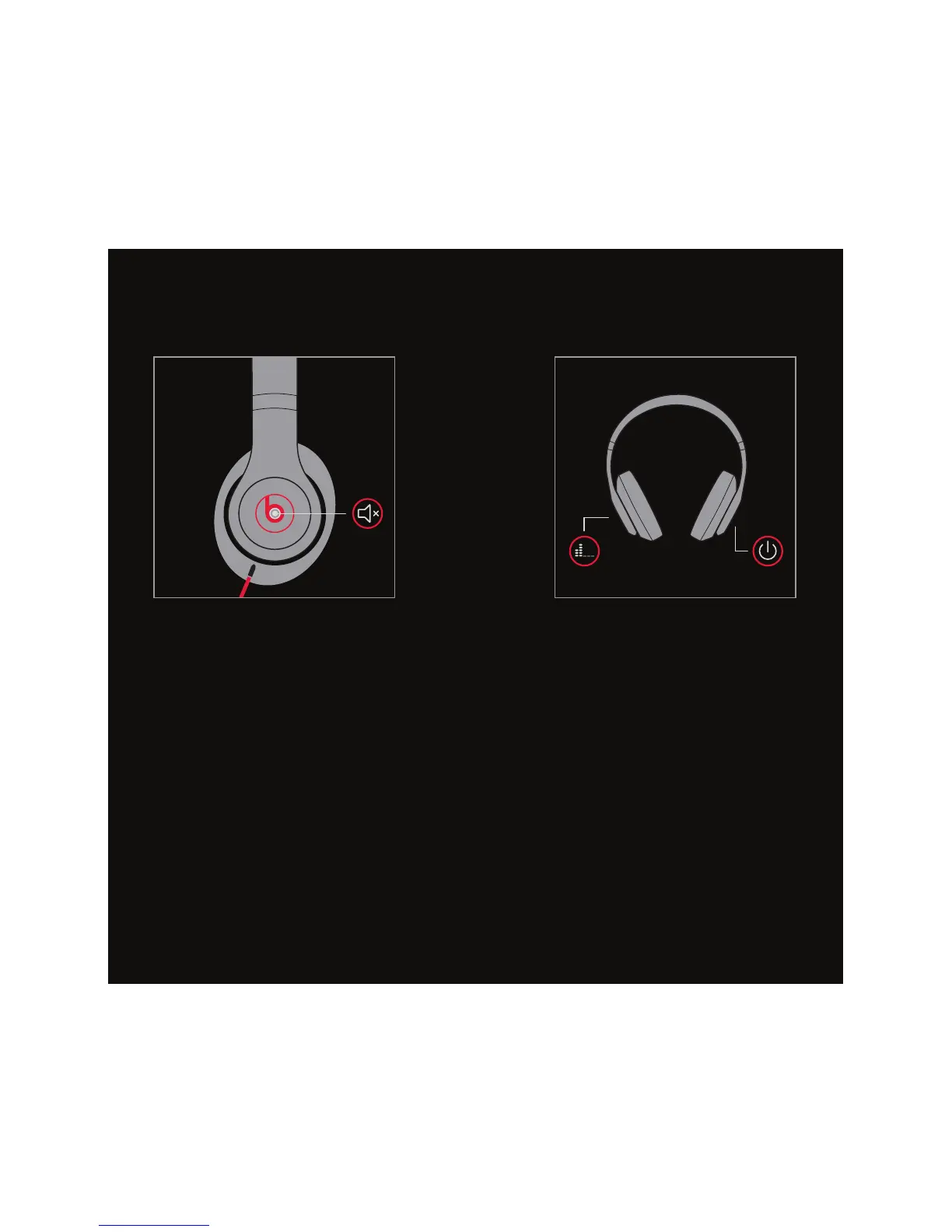
EN Press and hold both the “b” and
power button without the cable to
enable ANC-only mode.
FR Appuyez sur les boutons “b” et
d’alimentation et maintenez-les
enfoncés sans le câble pour activer
le mode ANC seulement.
ES Presione y mantenga presionado “b”
y el botón de encendido sin el cable
para habilitar el modo de solo ANC.
PT Pressione e segure os botões “b”
e liga/desliga sem o cabo para
acionar o modo “somente ANC”.
MUTE
EN Press and hold “b” with audio cable
plugged in to mute.
FR Appuyez sur le bouton “b” et
maintenez-le enfoncé avec le
câble audio branché pour passer
au mode muet.
ES Presione y mantenga presionado
“b” con el cable conectado
para silenciar.
PT Pressione e segure “b” com o
cabo de áudio conectado ao
modo mudo.
ADAPTIVE NOISE
CANCELING ONLY
ANC


 To Next Page