11
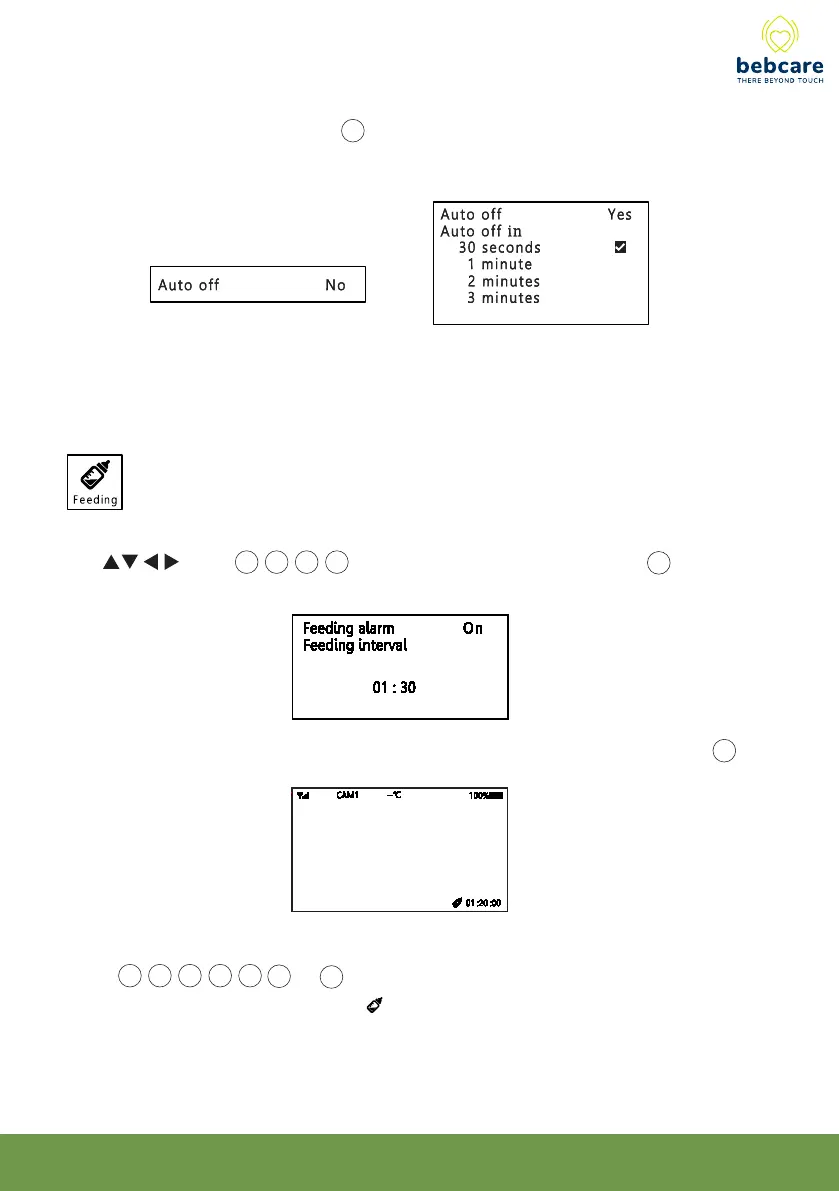
Under screen on mode, the screen 20 will always stay on or auto shut off after a period of
time (30 sec/1 minute/2 minutes/3 minutes) as selected by parents. Please note the
battery running time will become less.
This function is to set the feeding alarm ON or OFF and select the feeding time interval.
Use button 14 15 16 17 to select, then short press OK button 19 to confirm.
Once the feeding alarm is activated, a count down timer will be shown on screen 20 .
When it is time to feed, an alarm will be heard which can be muted by short press anyone of
button 14 15 16 17 18 23 & 25 .
To initiate alarm, enter menu & select icon then set feeding alarm to ON again.



 To Next Page