13
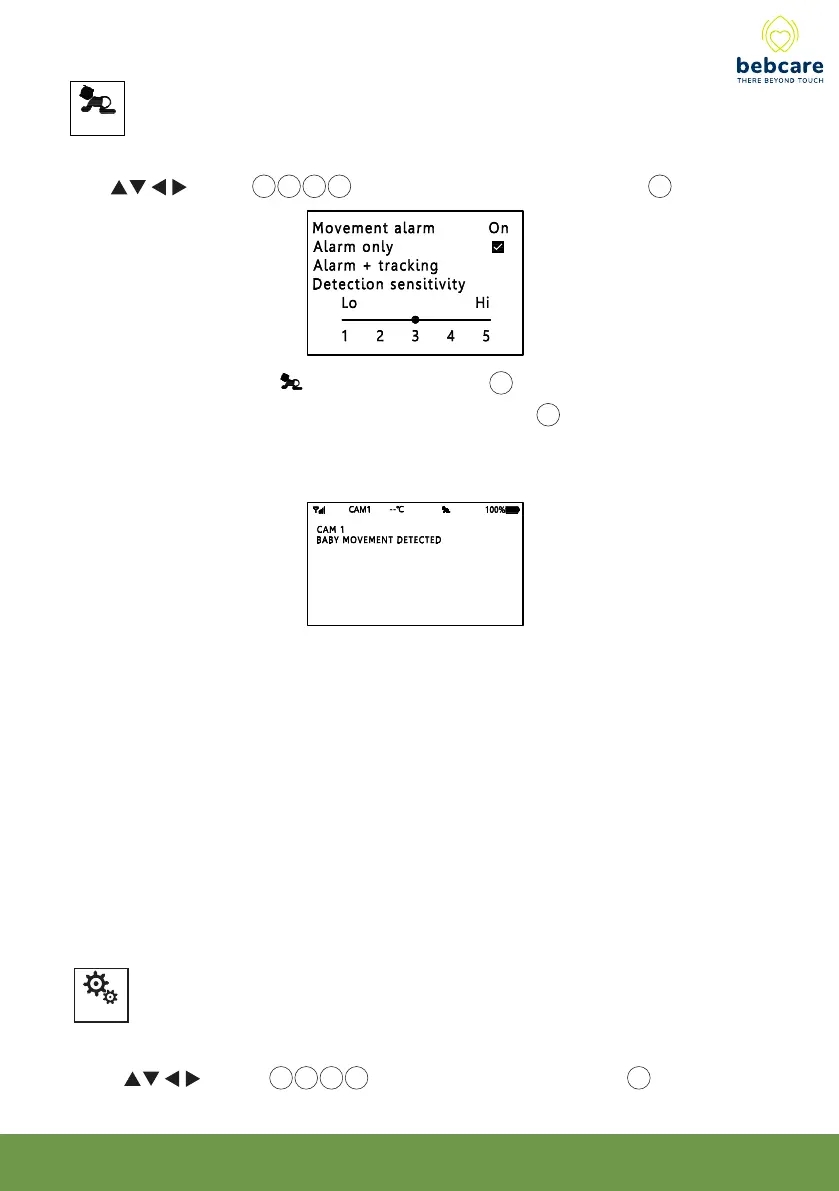
This function is to set the movement alarm ON or OFF.
Use button 14 15 16 17 to select, then short press OK button 19 to confirm.
When set to ON, the icon will show up in screen 20. Under “ Alarm only “ mode,
whenever the camera detects baby movement, the screen 20 will be turned on (even
baby remains silent) and a beep tone being heard. The screen will be off automatically
if baby stops making movement.
Under “Alarm + tracking” mode, in addition to providing the movement alarm, the
camera will auto track the movement of baby. The camera lens needs to face directly
towards the baby location. Once the baby starts moving, the camera will automatically
follow the same direction.
Note in case there are several moving objects within the view as captured by
camera lens, this tracking function may not operate accurately.
Movement
(N.B. This function does not operate under split screen mode)
Parents can select the movement detection sensitivity according to their preference.
Higher value means the camera is more sensitive to movement.
Setting
This function is to set the various parameters
Use button 14 15 16 17 to select, short press OK button 19 to confirm.



 To Next Page