5
PAIRING
This process is the match the PU with camera and movement sensor mat so that
they can communicate with each other while no other devices (even baby monitor of
identical model) can interfere with you or receiving your signal.
The PU and camera are already paired when they are shipped out from
factory. However, it is necessary to perform pairing again when an extra camera is
added to work with PU.
1. Switch on PU using the power on/off switch 22 and camera by long press power
button 1 .
2. Turn on PU screen 20 by short press any one button 14, 15, 16, 17, 18. 23 or 25.
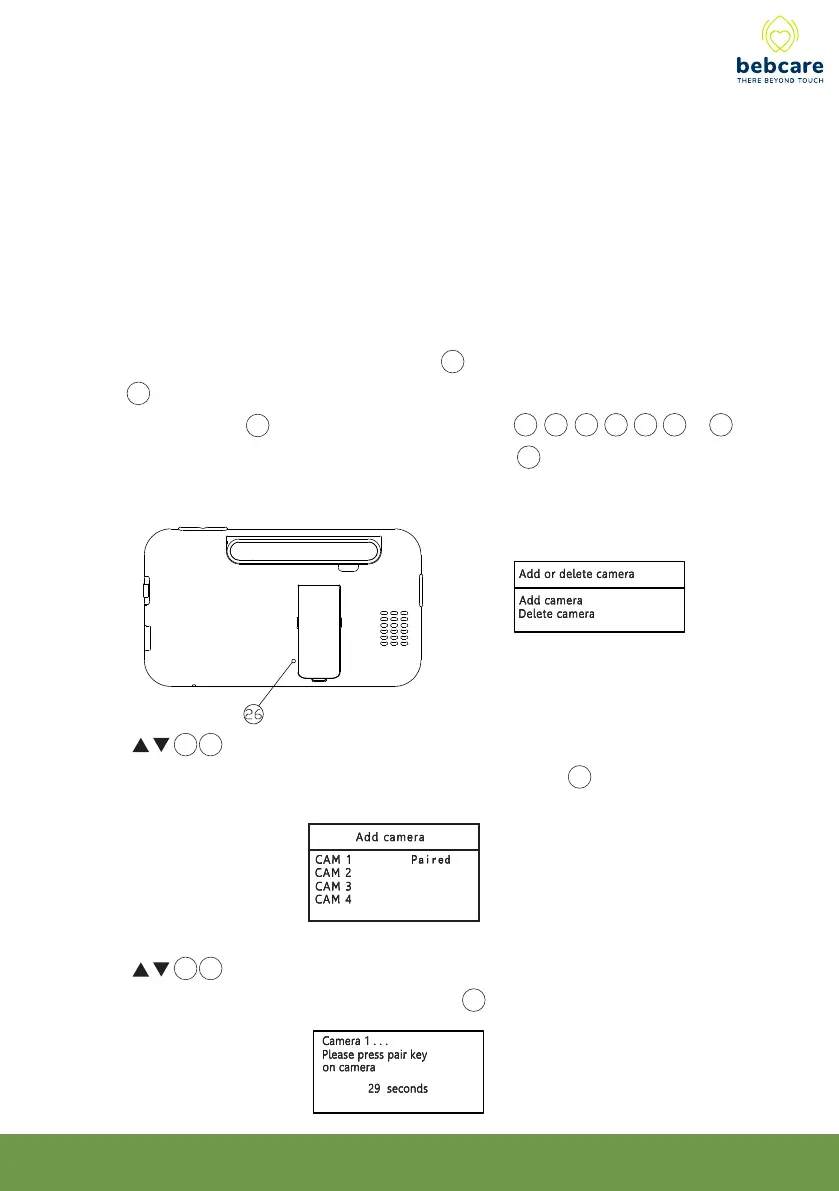
3. Using a pointed object, short press the pairing button 26 of PU and the screen will
show :
4. Use 14 15 button to select “Add camera” (in case you need to delete a camera
already paired, select “Delete camera”), then press OK button 19 .
5. Use 14 15 button to select a number assigned to the camera being paired (or
the camera to be deleted), then press OK button 19 .



 To Next Page