6
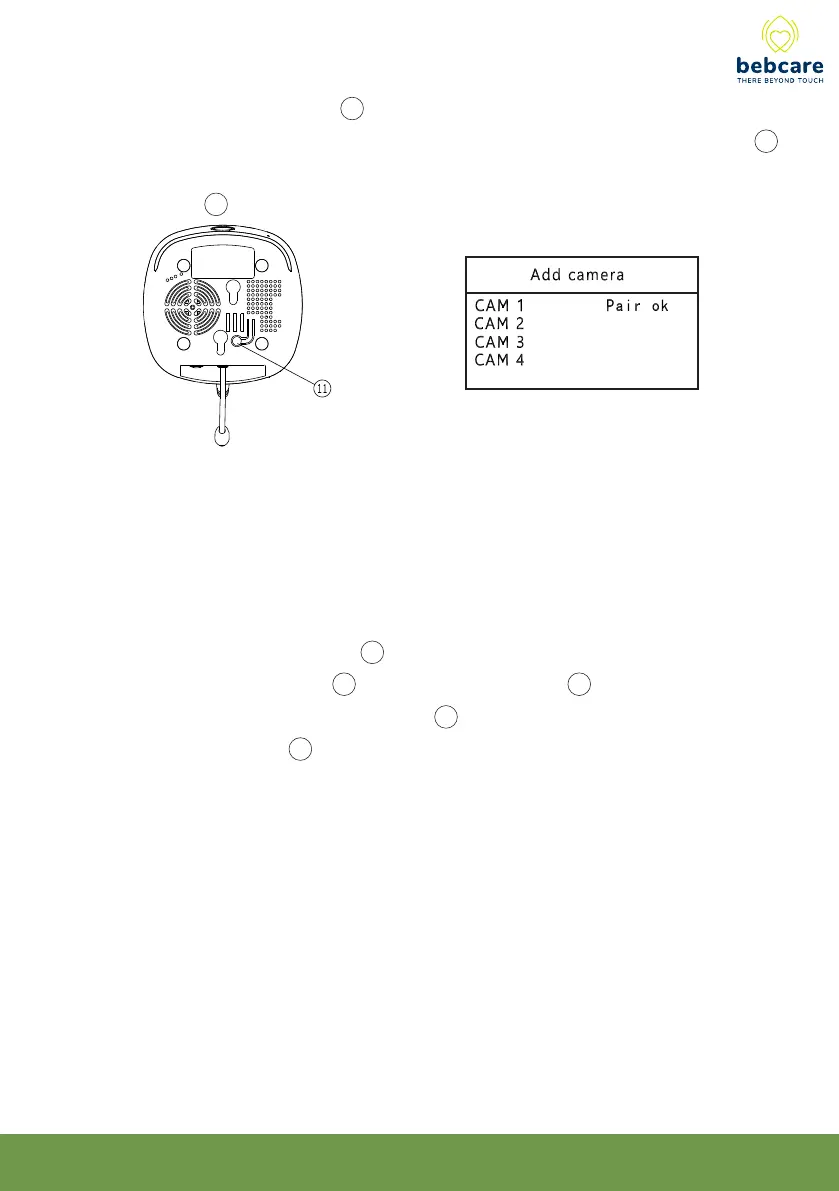
6. Now short press pairing button 11 at bottom of camera, wait for around 5 sec and two
beep sound will be heard which indicate pairing become successful and the screen 20
will show the image as captured by camera lens (if not successful, short press
pairing button 11 again or repeat step 4-6 when the time elapsed exceed 30 sec) :
7. Repeat above steps for other cameras. Note if you pair a new camera but selecting a
number that is already paired, the new camera will override the originally paired
camera.
8. The pairing between camera and movement sensor mat should be performed after the
successful pairing between camera and PU or otherwise the system will not operate
properly.
9. Press and hold the pairing button 11 at bottom of camera while switching on the unit
by long press of power button 1 until the transmit indicator 3 starts flashing.
10. Now press and hold the alarm hold button 29 while switch on the movement sensor
mat by turning the knob 28 clockwise, wait for the movement indicator to start
flashing, two beep sound will be heard in camera, indicating pairing is successful.
11. Switch off both camera and movement sensor mat, switch them on again for normal
operation.
12. The mat is now ready for use, probably you will hear the breathing alarm in PU (if the
movement monitoring function is set to ON) after 20 sec in case nothing is placed on
the mat. Slight tap the mat few times and the alarm will stop, this show the system is
working properly.
N.B. When it is no longer necessary to monitor the baby’s breathing as he
grows older, the movement sensor mat is required to unpair from camera to
avoid unnecessary alarms. To achieve this perform pairing process between
camera and PU by repeating above steps 1- 6 but leave out steps 9 -10.



 To Next Page