1. Power Connection
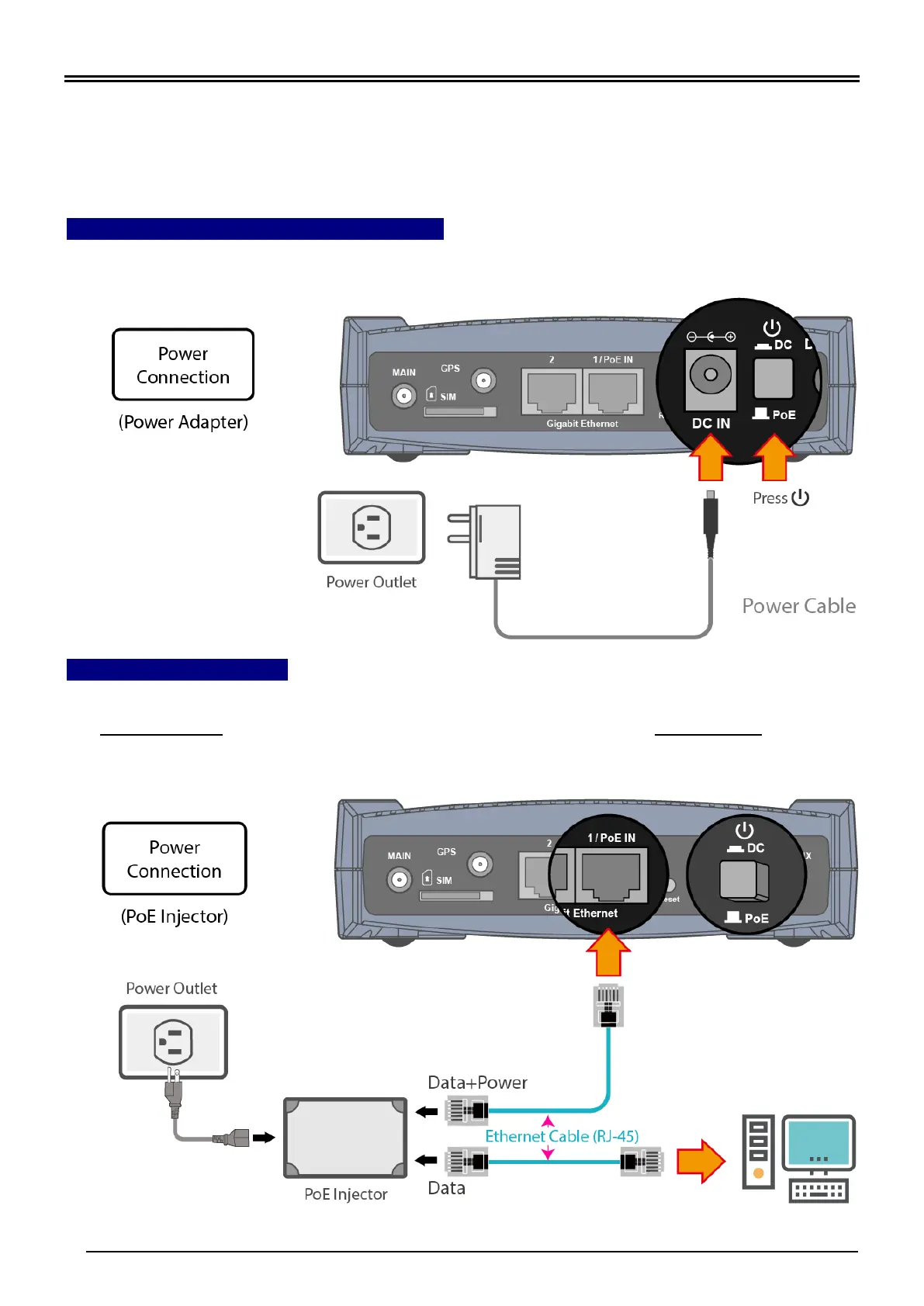
Select power source from using a (1) DC power adapter or (2) PoE Injector
1.1 Using the Supplied DC Power Adapter
Plug in the supplied power adapter to the wall jack, the other side to the MX-210N then
power it ON the by pressing the Power On/Off button.
1.2 Using a PoE Injector
Power OFF the power source button then plug an Ethernet cable (RJ-45) to the
LAN 1/PoE IN port and the other end of the cable directly to the Data+Power of the PoE
injector.



 To Next Page