47
Navigation mode
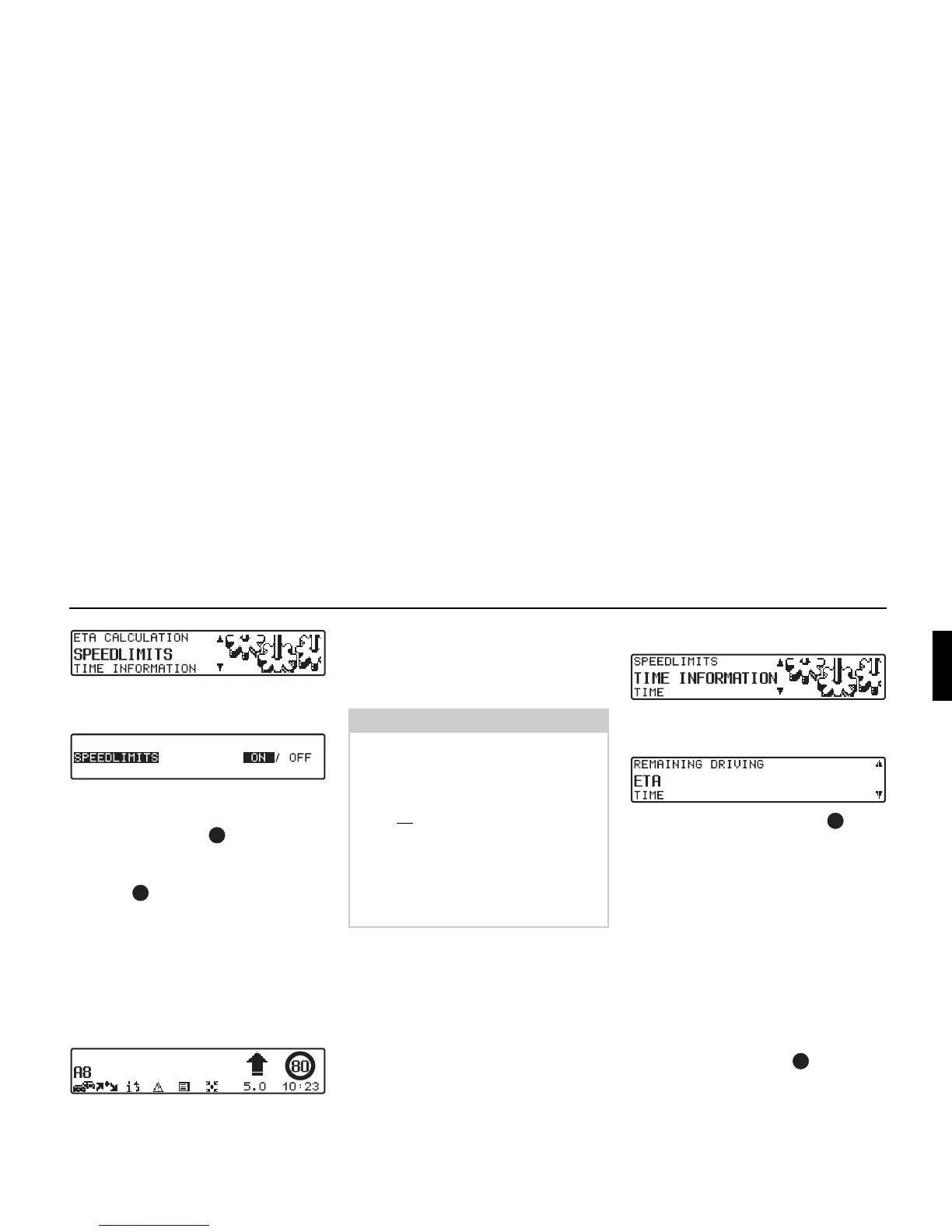
! Set and confirm SPEEDLIMITS in
the System Settings menu.
! You can select between speed limits
ON and OFF by briefly pressing the
right rotary control .
Setting is confirmed and accepted by
pressing and holding the right rotary
control .
If, when the speed limit display is ON,
you travel along a route with a speed
limit and this speed limit is stored on the
navigation CD, the corresponding sym-
bol will appear on the right-hand side of
the display indicating the speed limit.
The distance to the next point at which
for example a turn should be made is dis-
played below the navigation arrow,
which appears in reduced format.
Setting the time display
! Set and confirm TIME INFORMA-
TION
in the System Settings menu.
! Use the right rotary control to se-
lect the desired setting.
•
REMAINING DRIVING TIME
The display shows the remaining trav-
el time.
•
ETA
The display shows the estimated time
of arrival.
• TIME
The display shows the current time.
! The selection is accepted by pressing
the right rotary control .
The system returns to the System Set-
tings menu.
Note:
On routes with variable speed limits
(dependent on weather conditions, time
of day etc.) a symbol with the text
Dyn. or a speed with an underscore
(e.g.: “80
”) draws the driver’s attention
to the fact that the speed limit is varia-
ble.
As temporary speed limits (e.g. due to
road works) are usually short-lived,
these have not been included on the CD.


 To Next Page