52
Radio mode
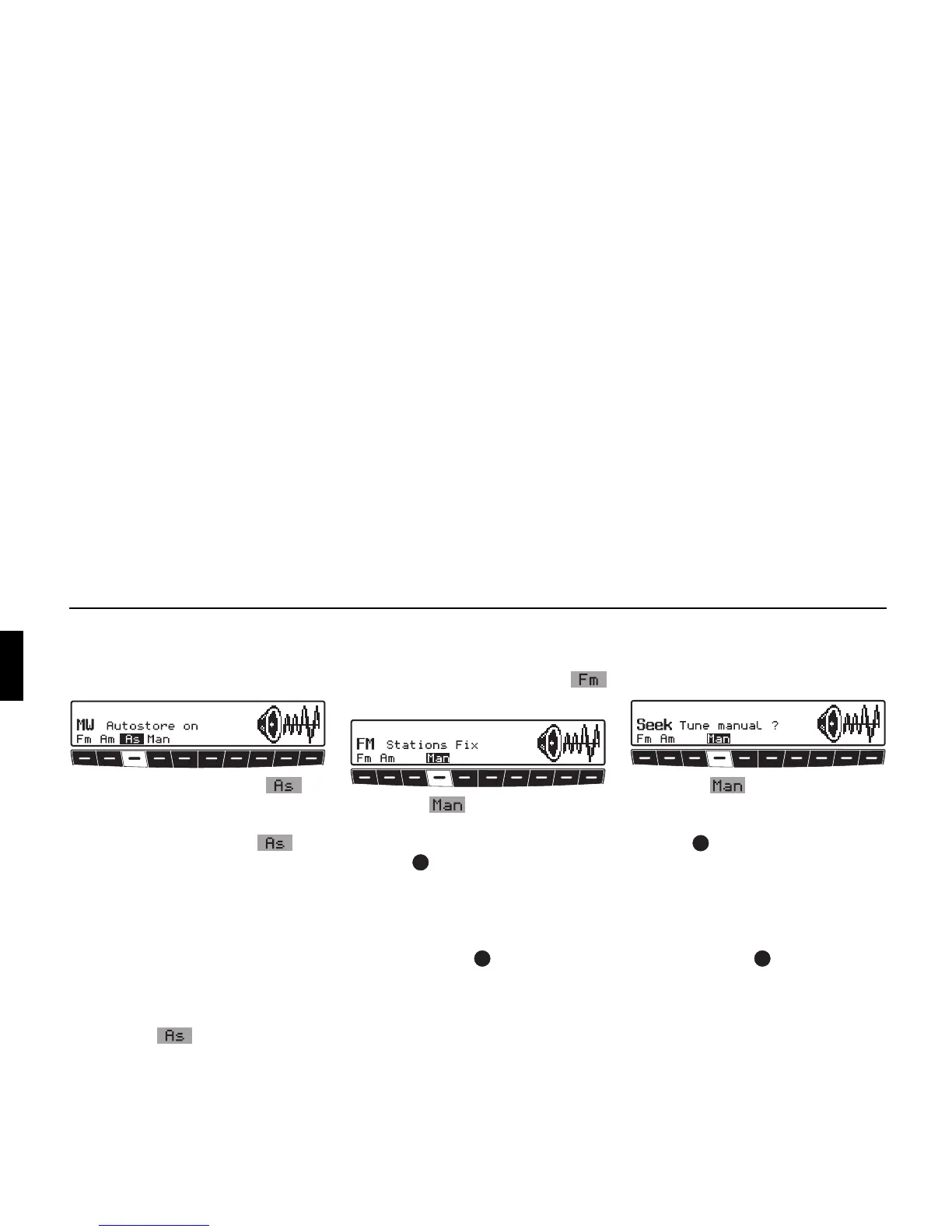
Autostore MW, LW
! Select radio menu mode within the de-
sired waveband.
! Press multifunction button re-
peatedly until
Autostore on is
displayed.
! Press multifunction button until
Seek Autostore is displayed.
The 6 stations with the best reception are
stored under the station buttons in order
of quality.
! To exit the Autostore memory level,
turn off the Autostore memory
(
Autostore off) with multifunc-
tion button .
The radio switches back to the station
button level.
Manual FM tuning
! Selecting radio menu mode.
! Using the multifunction button
select the level
Stations Fix.
! Press the multifunction button
twice.
! Next, turn the right-hand rotary
control .
100 kHz tuning steps are performed.
The display will show that manual tun-
ing is currently active with
MAN. If the
right rotary control is not turned after
a short time,
MAN will disappear from
the display and manual tuning is turned
off.
Manual Tuning MW, LW, KW
! Select radio menu mode within the de-
sired waveband.
! Press the multifunction button
twice.
! Next, turn the right-hand rotary
control .
9kHz (MW), 3kHz (LW) or 5kHz (SW)
tuning steps are performed.
The display will show that manual tun-
ing is currently active with
MAN. If the
right rotary control is not turned after
a short time,
MAN will disappear from
the display and manual tuning is turned
off.















 To Next Page