33
Navigation mode
Information during route
guidance
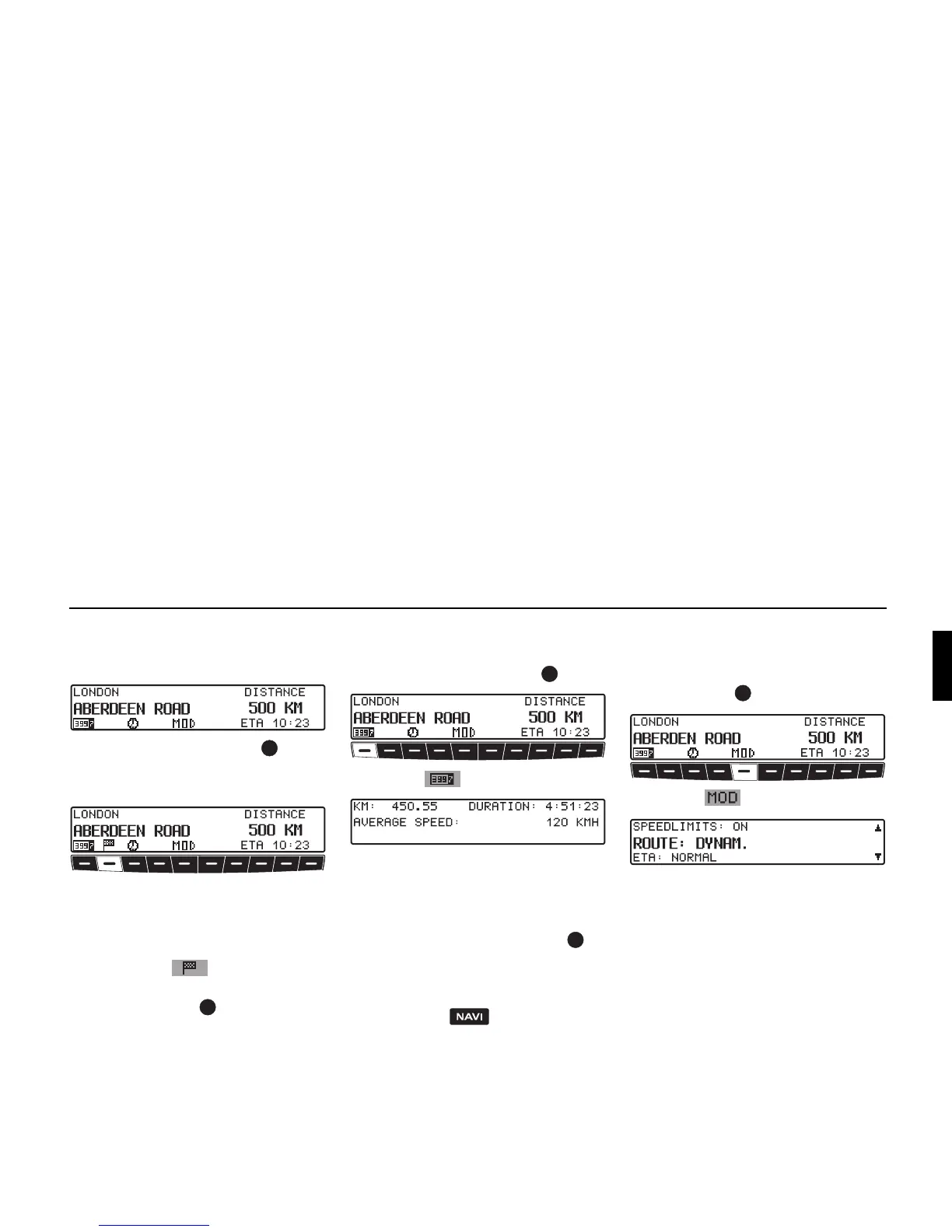
! Press the left rotary control .
The destination, the distance and the es-
timated time of arrival are displayed.
If a stopover has been specified, the
stopover, the distance and the estimated
time of arrival are displayed. The main
destination can be displayed via multi-
function button .
! To return to route guidance, press the
left rotary control again or wait for
8 seconds.
Requesting journey duration
and kilometres travelled
! Press the left rotary control .
! Press the multifunction button.
The journey duration, kilometres trav-
elled and the average speed are dis-
played.
! Pressing the right rotary control for
more than 2 seconds resets the values
to zero.
! Pressing the button returns to
the navigation display, if navigation is
active. If navigation is not active, the
display shows the information menu.
Displaying/changing settings
during route guidance
! During route guidance, press the left
rotary control .
! Press the multifunction button.
The current settings are displayed in a
list.
You can display or change the following
settings:
•
ROUTE:
Stipulations on the method of route
calculation.
•
ETA:
Method of calculating the estimated
time of arrival.















 To Next Page