EasyManua.ls Logo

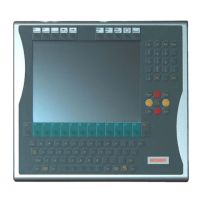
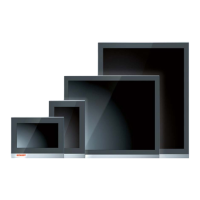
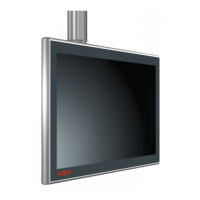
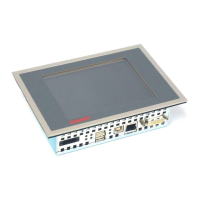
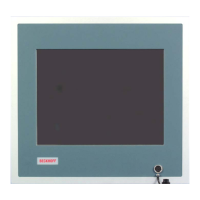
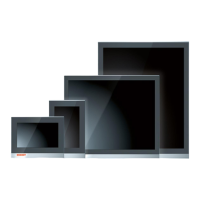
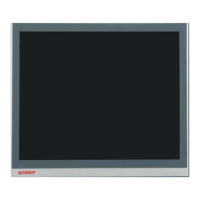
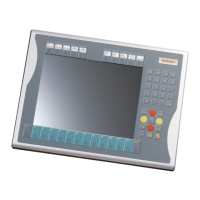
Beckhoff CP79 Series - User Manual

Beckhoff CP79 Series
18 pages
Print Icon
To Next Page IconTo Next Page
Loading...
Installation and Operating instructions for
CP79xx Control Panel
Version: 1.5
Date: 2011-06-27

Questions and Answers

  • B
    Brian OrtegaAug 10, 2025
    What to do if Beckhoff CP79 Control Panel shows no function after starting Industrial PC?
    • R
      Ryan TrujilloAug 10, 2025
      If your Beckhoff Control Panel isn't functioning after starting the Industrial PC, it could be due to a missing power supply or a disconnected cable. Check the power supply cable and ensure it's correctly connected. If issues persist, contact Beckhoff Service.
  • M
    Matthew RojasAug 14, 2025
    What to do if Beckhoff Control Panel functions partially or has a dark picture?
    • H
      hobbswandaAug 14, 2025
      If the Beckhoff Control Panel functions only partially or has a dark picture, this may indicate defective components. Contact Beckhoff Service.
  • J
    Jeremy WilliamsAug 19, 2025
    Why does my Beckhoff Industrial PC not boot fully?
    • G
      glambertAug 19, 2025
      If your Beckhoff Industrial PC doesn't boot fully, the setup settings may be incorrect. Check the setup settings. If the issue persists, contact Beckhoff Service.
  • D
    Donna MurrayAug 26, 2025
    What causes USB error while TwinCAT access via USB in Beckhoff CP79?
    • J
      jamiewallsAug 26, 2025
      A USB error during TwinCAT access via USB on your Beckhoff Control Panel can occur if the cycle time in TwinCAT is set to the standard 10 ms. Increase the cycle time to between 50 ms and 80 ms.
  • H
    Howard KellerAug 29, 2025
    What to do if computer boots but Beckhoff CP79 does not operate correctly?
    • M
      Melanie GonzalesAug 29, 2025
      If the computer boots and the software starts, but the Beckhoff Control Panel doesn't operate correctly, the issue might be in the software or parts of the plant outside the Control Panel. Contact the manufacturer of the machine or the software.
  • S
    Scott WangSep 3, 2025
    How to fix a no screen issue on Beckhoff CP79 Control Panel?
    • B
      Bryan StevensSep 3, 2025
      If you are experiencing a 'no screen' issue with your Beckhoff Control Panel, especially when using DVI cables longer than 20m, the transmission rate might be too high. Limit the transmission rate for the DDC file to 50 kHz.

Beckhoff CP79 Series Specifications

General IconGeneral
Power Supply24 V DC
Operating SystemWindows 10 IoT Enterprise
Ethernet Ports2 x RJ45
USB PortsUSB 3.0
Brightness400 cd/m²
Operating Temperature0°C to 45°C
Protection ClassIP65

Related product manuals