EasyManua.ls Logo

Beckhoff CP69 Series - User Manual

Beckhoff CP69 Series
28 pages
Print Icon
To Next Page IconTo Next Page
Loading...
Installation and Operating instructions for
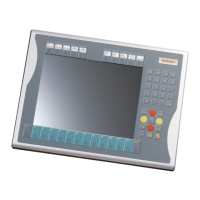
CP69xx
Built-in Control Panel with DVI/ USB Extended interface
Version: 2.5
Date: 2019-05-31

Table of Contents

Questions and Answers

  • C
    Christopher MayoAug 11, 2025
    What to do if my Beckhoff Control Panel shows no function?
    • D
      Dawn SmithAug 12, 2025
      If your Beckhoff Control Panel isn't functioning, the issue might be due to a lack of power or a disconnected cable. First, check the power supply cable to ensure it is properly connected. If the problem persists, contact Beckhoff Service.
  • C
    Cynthia PearsonAug 19, 2025
    What to do if my Beckhoff Control Panel functions only partially?
    • S
      Steven BrockSep 12, 2025
      If your Beckhoff Control Panel is only partially functional, such as displaying a dark picture, it could be due to a faulty backlight or defective components. In either case, contact Beckhoff Service for assistance.
  • J
    Joshua PowellAug 27, 2025
    Why is my Beckhoff Control Panel touchscreen malfunctioning?
    • L
      Lance MorganAug 27, 2025
      A malfunctioning touchscreen on your Beckhoff Control Panel could stem from a poor or missing ground connection. Ensure the device has a solid ground connection. Also, the user should stand on the floor wearing ordinary shoes to ensure proper grounding.
  • A
    April JacksonSep 3, 2025
    What causes USB errors while accessing TwinCAT via USB on my Beckhoff Control Panel?
    • W
      William ThomasSep 4, 2025
      USB errors during TwinCAT access on your Beckhoff Control Panel may occur if the cycle time in TwinCAT is set to the standard 10 ms. Try increasing the cycle time to between 50 ms and 80 ms.

Beckhoff CP69 Series Specifications

General IconGeneral
Touch TechnologyResistive touchscreen (single-touch)
ProcessorIntel Atom
Operating SystemWindows Embedded Standard
IP RatingIP65
Ethernet1 or 2 x 10/100/1000 Mbit/s
USB PortsUSB 2.0
Power Supply24 V DC
MountingPanel mount
StorageSSD
Operating Temperature0°C to +50°C

Related product manuals