EasyManua.ls Logo

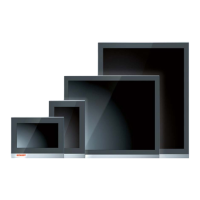
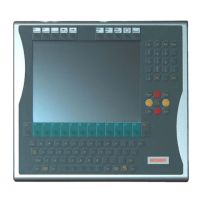
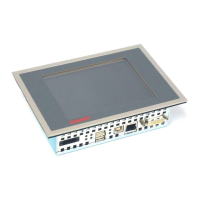
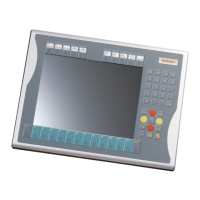
Beckhoff CP39 Series - User Manual

Beckhoff CP39 Series
55 pages
Print Icon
To Next Page IconTo Next Page
Loading...
Manual | EN
CP39xx
Control Panel
2023-4-11 | Version: 3.6

Table of Contents

Questions and Answers

  • R
    Robert ClarkAug 11, 2025
    What to do if there is no picture or backlight on my Beckhoff Control Panel?
    • K
      Karen JosephAug 11, 2025
      If your Beckhoff Control Panel shows no picture or backlight, for CP39xx-0000, check the DVI cable connection. For CP39xx-0010: 1. Check the cable connections. 2. Check the CU880x diagnostic LEDs. 3. Check the power supply. This may resolve the issue if the problem stems from cable connection issues.
  • R
    Ricardo HollandAug 19, 2025
    Why does my Beckhoff Control Panel multi-touch screen not react or react sporadically?
    • J
      James BarnesAug 19, 2025
      If the multi-touch screen of your Beckhoff Control Panel isn't reacting or is reacting sporadically, verify potential equalization and grounding measures. You can also touch the Control Panel frame and check the touch function at the same time. The cause may be poor or missing functional earth of the device or a poor or missing ground connection of the user.
  • J
    Joel StrongAug 27, 2025
    How to troubleshoot a Beckhoff Control Panel with no function?
    • L
      Lisa GouldAug 27, 2025
      If your Beckhoff Control Panel has no function, check the power supply cable and ensure it is correctly connected. If the Control Panel is a CP39xx-0010 model, also check the power supply to the CU880x. If the issue persists, call Beckhoff Service. The cause may be no supply of power to the Control Panel, a disconnected cable, or, for CP39xx-0010, no power to the CU880x.
  • K
    Kristina WilliamsSep 3, 2025
    What to do if I get a USB error during access with TwinCAT via USB on my Beckhoff Control Panel?
    • R
      Reginald BlankenshipSep 3, 2025
      If you encounter a USB error during access with TwinCAT via USB on your Beckhoff Control Panel, increase the cycle time in TwinCAT to between 50 ms and 80 ms. The standard cycle time of 10 ms may be the cause.

Beckhoff CP39 Series Specifications

General IconGeneral
Display TypeTFT LCD
TouchscreenYes
Power Supply24 V DC
IP RatingIP65 (front), IP20 (rear)
ProcessorIntel Celeron
Operating SystemWindows Embedded Standard 7
Ethernet Ports2 x 10/100/1000 Mbps
USB Ports4 x USB 3.0
ProtectionFront panel IP65
Communication InterfacesEthernet, USB

Related product manuals