EasyManua.ls Logo

Beckhoff CP29xx-0000 Series - User Manual

Beckhoff CP29xx-0000 Series
31 pages
Print Icon
To Next Page IconTo Next Page
Loading...
Installation and Operating instructions for
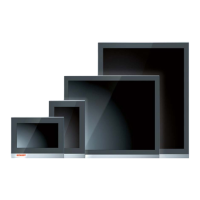
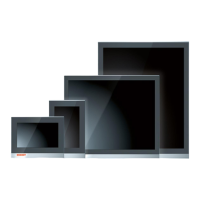
CP29xx-0000
Multi-touch Control Panel with DVI/ USB Extended interface
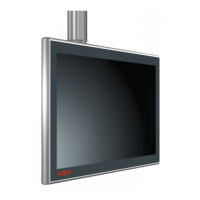
CP29xx-0010
Multi-touch Control Panel with CP-Link 4 interface
Version: 1.9
Date: 2018-11-13

Table of Contents

Questions and Answers

  • B
    brownchristopherAug 11, 2025
    How to troubleshoot a Beckhoff CP29xx-0000 that shows no function?
    • M
      Ms. Katie DavisAug 11, 2025
      If the Beckhoff Control Panel isn't functioning, it could be due to a lack of power or a disconnected cable. First, check the power supply cable. If the cable is not connected correctly, connect it properly. If the problem persists, contact Beckhoff Service.
  • M
    michael17Aug 19, 2025
    Why is the touchscreen on my Beckhoff Control Panel malfunctioning?
    • C
      Craig HendersonAug 19, 2025
      A malfunctioning touchscreen on a Beckhoff Control Panel can be caused by a bad or missing ground connection of the device. To resolve this, establish a ground connection. Another cause can be a bad or missing ground connection of the user. The user should stand on the floor with ordinary shoes.
  • D
    Deborah ReyesAug 26, 2025
    What to do if the Beckhoff CP29xx-0000 functions only partially?
    • D
      Diane MoralesAug 27, 2025
      Partial functionality of the Beckhoff Control Panel, such as a dark or absent picture, can be caused by a faulty backlight in the display or defective components in the Control Panel. In such cases, contact Beckhoff Service.
  • B
    Brandy DoyleSep 3, 2025
    How to fix USB error during TwinCAT access via USB on Beckhoff CP29xx-0000?
    • J
      Justin GutierrezSep 3, 2025
      A USB error during TwinCAT access via USB on a Beckhoff Control Panel may occur because the cycle time in TwinCAT is set to 10 ms (standard). To resolve this, increase the cycle time to between 50 ms and 80 ms.

Beckhoff CP29xx-0000 Series Specifications

General IconGeneral
Display TechnologyTFT LCD
Power Supply24 V DC
Resolution800 x 600
Touch TechnologyResistive
ProcessorIntel Atom
Operating SystemWindows Embedded Standard
Ethernet10/100/1000 Mbps
Ethernet Ports2
USB Ports2
InterfacesEthernet, USB
Protection ClassIP65

Related product manuals