EasyManua.ls Logo

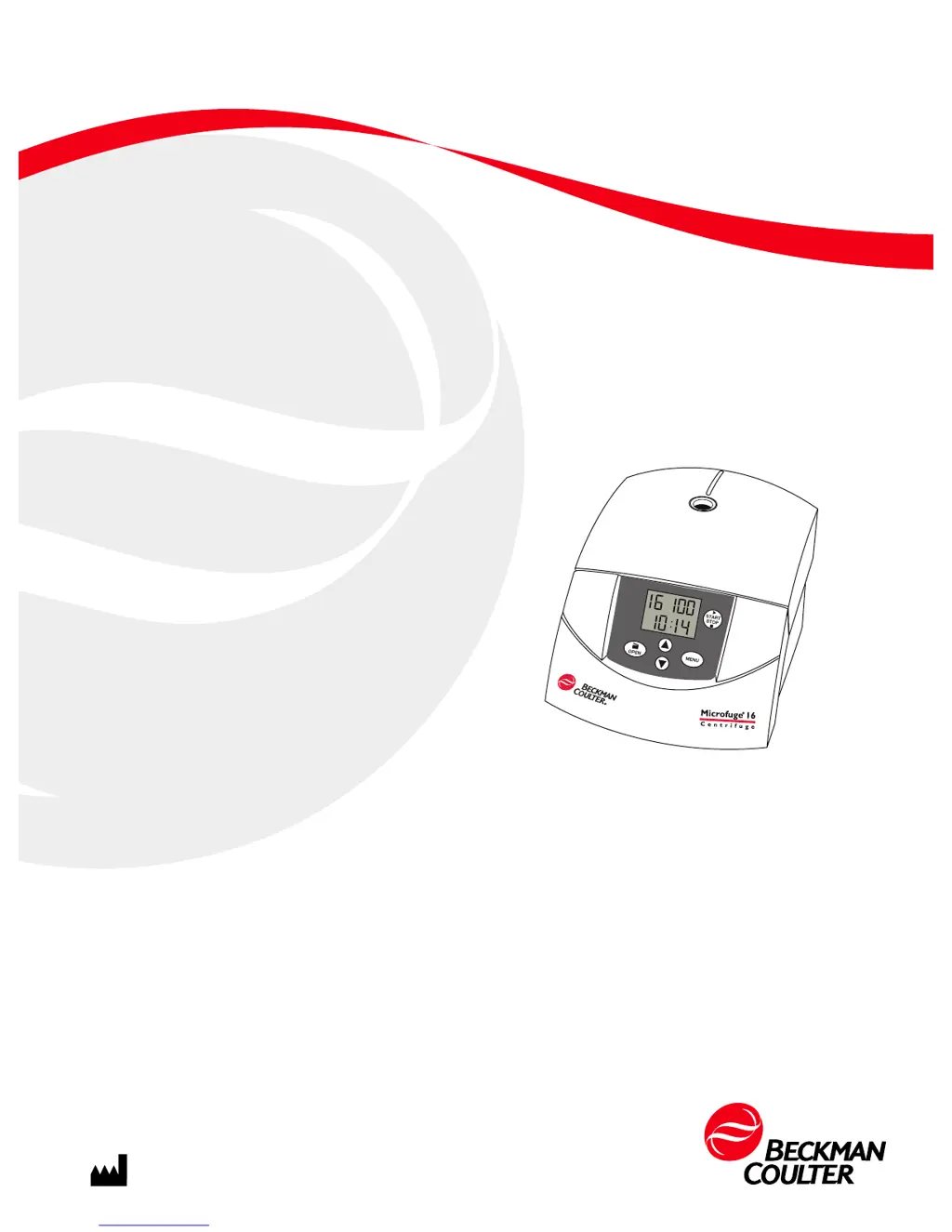
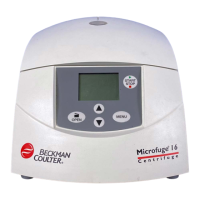
Beckman Coulter Microfuge 16 - User Manual

Beckman Coulter Microfuge 16
54 pages
Print Icon
To Next Page IconTo Next Page
Loading...
PN A49436AG
February 2014
Instructions For Use
Microfuge 16 Centrifuge
FX241.5P and FX121.5P Rotors
Beckman Coulter, Inc.
250 S. Kraemer Blvd.
Brea, CA 92821 U.S.A.

Table of Contents

Questions and Answers

  • S
    Sandra StewartAug 1, 2025
    Why is the rotor not achieving the set speed in my Beckman Coulter Microfuge 16 Laboratory Equipment?
    • T
      Tiffany JacksonAug 1, 2025
      If your Beckman Coulter Laboratory Equipment rotor cannot achieve the set speed, measure the line voltage while the centrifuge is operating, as the line voltage may be below the rating. If the voltage is correct, check the connections and then call Beckman Coulter Field Service in case of electrical failure. It is also possible that the issue is due to a mechanical failure, which requires contacting Beckman Coulter Field Service.
  • N
    Nicole CopelandAug 6, 2025
    How to troubleshoot no display indication on Beckman Coulter Laboratory Equipment?
    • M
      Ms. Kerri Garcia MDAug 7, 2025
      If there is no indication on the displays of your Beckman Coulter Laboratory Equipment, first ensure that the power cord is plugged in and the power is turned on. If the issue persists, it could be due to a blown fuse, in which case you should call Beckman Coulter Field Service, as there are no user-replaceable fuses. Alternatively, the issue might be due to a mechanical failure, which also requires contacting Beckman Coulter Field Service.
  • T
    Tony KentAug 11, 2025
    What to do if I get a bad tachometer reading on Beckman Coulter Laboratory Equipment?
    • R
      Rebecca MooreAug 11, 2025
      If you are getting a bad tachometer reading on your Beckman Coulter Laboratory Equipment, turn the power off and wait for the rotor to come to a complete stop, then turn the power back on to reset. If the issue continues, turn the power off again, verify that the rotor is completely stopped, then open the door using the procedures under Accessing the Rotor in Case of Power Failure. Close the door firmly, and turn the power back on.
  • R
    Robert MayAug 16, 2025
    What to do if the door will not open on my Beckman Coulter Laboratory Equipment?
    • D
      David NelsonAug 16, 2025
      If the door of your Beckman Coulter Laboratory Equipment won't open, first wait until the rotor stops spinning. If there is still no response, ensure that the power is on by plugging in the power cord and turning the power on. If power restoration is not possible, follow the instructions for accessing the rotor in case of power failure to retrieve your sample.
  • B
    Brianna StewartAug 21, 2025
    Why my Beckman Coulter Laboratory Equipment centrifuge cannot be started?
    • T
      Tamara BenjaminAug 21, 2025
      If your Beckman Coulter Laboratory Equipment centrifuge cannot be started, first ensure that the power cord is properly plugged in and the power is turned on. If the issue persists, it could be due to a blown fuse, in which case you should call Beckman Coulter Field Service. There are no user-replaceable fuses. Alternatively, the issue might be due to a mechanical failure, which also requires contacting Beckman Coulter Field Service.
  • K
    Kerry ClarkeAug 27, 2025
    What to do if power supply failure during run in Beckman Coulter Microfuge 16?
    • E
      Evelyn JacksonAug 27, 2025
      If the power supply fails during a run with your Beckman Coulter Laboratory Equipment, wait for the rotor to come to a complete stop. Then, open the door and confirm the error message by pressing the OPEN key.

Summary

Safety

Centrifuge Safety Notice

General safety notice and overview of critical alerts, warnings, and precautions.

Operational Safety Guidelines

Covers specific safety aspects including electrical, fire, mechanical, and chemical/biological hazards.

Rotor Safety Notice

Specific safety guidelines and precautions related to the use and handling of centrifuge rotors.

Description

Operation

Run Procedure and Preparation

Outlines steps for preparing the centrifuge and rotor, and basic run setup.

Starting and Managing Runs

Instructions for initiating timed, continuous, and short (pulse) runs and managing them.

Sample Recovery

Procedures for safely accessing samples after a run or in case of power interruption.

Troubleshooting

General Troubleshooting Guide

Lists common centrifuge problems, their probable causes, and recommended corrective actions.

Error Messages and Power Failure Access

Explains error codes and procedures for accessing the rotor during power failures.

Care and Maintenance

Installation

Centrifuge Installation

Step-by-step instructions for setting up and positioning the centrifuge.

Electrical Requirements

Specifies power supply needs, cord connections, and electrical safety precautions.

Beckman Coulter Microfuge 16 Specifications

General IconGeneral
BrandBeckman Coulter
ModelMicrofuge 16
CategoryLaboratory Equipment
LanguageEnglish

Related product manuals