17
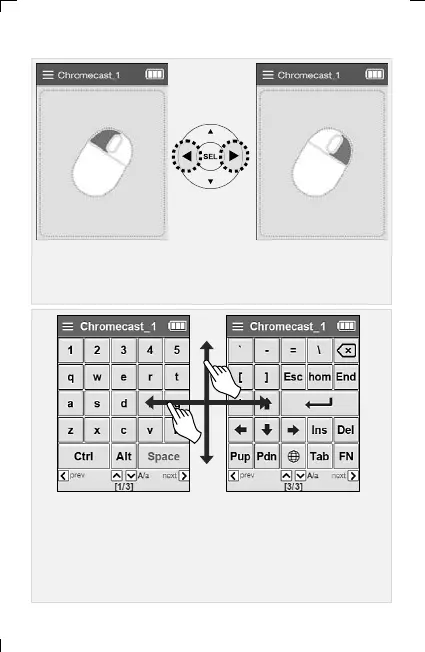
▣ Left/Right Mouse Click: Use the left/right arrow keys.
(When tapping the LCD screen, only the lower right area is the
right button.)
▣ To move the keyboard screen, use the left/right scroll or previous
/next keys.
(Ctrl and Alt keys are used by pressing the following keys while
Ctrl keys are pressed.)
Ex) In case of using Ctrl + C : While “Ctrl” key is pressed Click “C”
6. Adding and Using OTT/Bluetooth Devices OTT/Bluetooth



 To Next Page