EasyManua.ls Logo

BECSY UC500 - User Manual

Default Icon
48 pages
Print Icon
To Next Page IconTo Next Page
Loading...
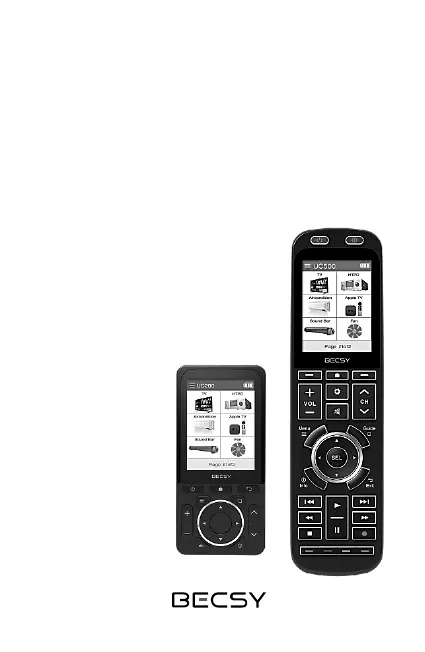
Universal Remote Control
User Manual
UC200/UC500

Questions and Answers

Summary

Getting Started with Your Remote

Remote Power Operations

Instructions for turning the UC200 and UC500 remotes on and off.

Screen and Device Navigation

Overview of screen layout and how to select devices displayed on the remote.

Remote Control Setup Modes

Accessing Setting Modes

Instructions on how to access the remote's setting modes.

Switching Between Setup Modes

Transitioning to Expert Setup

Steps to switch from Basic Setup to Expert Setup mode.

Transitioning to Basic Setup

Steps to switch from Expert Setup back to Basic Setup mode.

Adding Devices from Database

Initiating Device Addition

Steps to enter the basic setup mode and select 'Add Device'.

Selecting Device Type

Choosing the category or type of device to add from the database.

Configuring Database Device

Selecting Device Manufacturer

Choosing the brand or manufacturer of the device.

Selecting IR Codeset

Choosing an IR codeset and verifying device operation.

Finalizing Device Addition

Naming the Added Device

Setting a custom name for the newly added device.

Adding OTT;Bluetooth Devices

Selecting OTT Device Type

Steps to select an OTT device type for addition.

Selecting Device Class

Choosing the specific class or model of the OTT device.

Pairing OTT;Bluetooth Devices

Naming the OTT;Bluetooth Device

Assigning a name to the device before pairing.

Chromecast Pairing Procedure

Detailed steps for pairing a Chromecast device with the remote.

Chromecast Pairing Steps

Pairing Screen Confirmation

Ensuring the pairing screen appears correctly on the remote.

Progressing Chromecast Pairing

Continuing the pairing process on the Chromecast device itself.

Accessing Chromecast Settings

Navigating Chromecast settings to find remote control options.

Initiating Remote Pairing

Selecting Accessory Pairing

Choosing to pair a remote control or accessory.

UC500 Device Pairing Screen

What to expect when the UC500 device screen is shown for pairing.

Deleting Registered Devices

Deleting Bluetooth Devices

Unpairing from Chromecast Settings

Steps to unpair via Chromecast's 'Remote Controls & Accessories' menu.

Adding Custom Keys

Deleting Custom Keys

IR Learning Functionality

Preparing for IR Learning

Positioning remotes for IR learning.

Accessing Learning Mode

Steps to enter setup mode and select 'Learning'.

Performing IR Learning

Selecting Device for Learning

Choosing the device for which IR signals will be learned.

Selecting Button for IR Learning

Choosing the specific button to learn the IR signal for.

Completing IR Learning

Receiving and Storing IR Signals

How the remote receives and stores IR signals for a key.

Copying Remote Control Keys

Selecting Key Copy Function

Steps to enter setup mode and select 'Copy Key'.

Selecting Source Device

Choosing the device from which to copy key settings.

Selecting Source Key

Choosing the specific button whose settings are to be copied.

Selecting Target Device

Choosing the device to which the key settings will be copied.

Moving Registered Devices

Renaming Devices

Moving Remote Control Keys

Renaming Soft Buttons

Troubleshooting Common Errors

Common Error Displays

Common error messages encountered during operation.

Troubleshooting Actions

Recommended actions to resolve common error messages.

Bluetooth Pairing Troubleshooting

Bluetooth Connection Error Resolution

Product Safety Guidelines

Battery Safety Guidelines

BECSY UC500 Specifications

General IconGeneral
BrandBECSY
ModelUC500
CategoryRemote Control
LanguageEnglish

Related product manuals