29
12. Coping Keys
▪ You can copy the settings of all buttons (actual buttons, number
pad keys, and soft buttons) registered on a device to other devices
and other buttons.
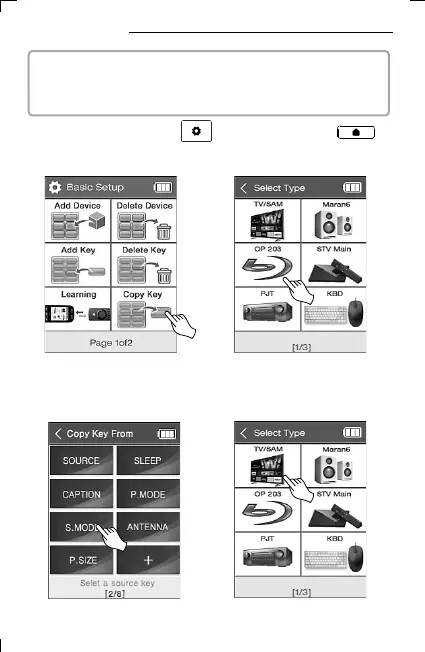
2) Select Copy Key.
3) Select the device on which the
button you want to copy is
registered.
4) Select the button to copy. 5) Select the device to copy to.
1) Press and hold the UC500 setup key or the UC200
home screen key for 3 seconds to move to the setup mode.



 To Next Page