11
6. Adding and Using OTT/Bluetooth Devices OTT/Bluetooth
▪ After selecting OTT, you can add and use a device.
After registering the template class as a basic, go through
the pairing process on the home screen to use it.
※ For Roku devices, we do not go through the pairing process.
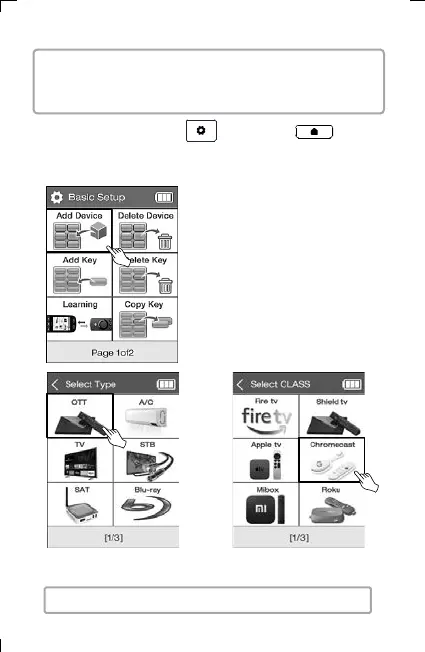
3) Select OTT
4) Select device type.
1) Press and hold the UC500 setting key or the home
screen key of UC200 for 3 seconds, then the screen goes to basic
setup mode.
2) Select Add Device.



 To Next Page