32
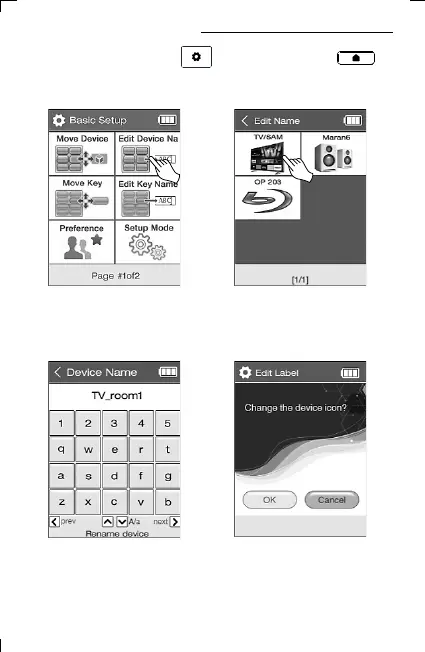
14. Changing Devices Names
2) Select Edit Device Name
on the second page of
Basic Setup.
3) Select the device to be renamed.
4) Change name.
5) Press “OK” when changing
device name and icon together.
Press “Cancel” in case of changing
only the name.
1) Press and hold the UC500 setup key or the UC200
home screen key for 3 seconds to move to the setup mode.



 To Next Page