6
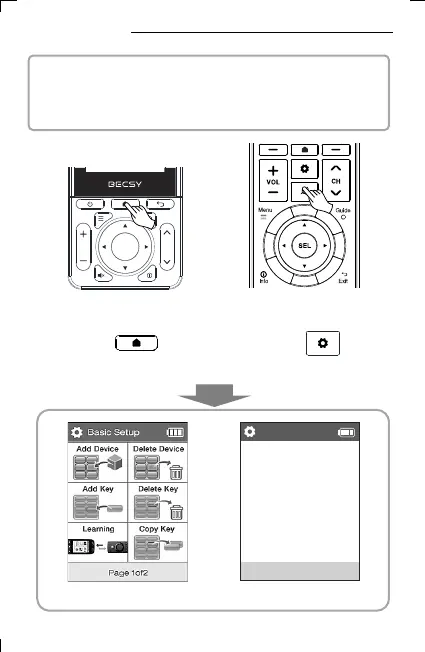
▪ Run setting mode
< UC500 Home Screen Key 3 seconds >
Or
< UC200 Home Screen Key 3 seconds >
Press UC200 Home Screen Key or UC500 Setting
Key for 3 seconds for setting mode
4. Setting Mode
▪ BECSY multi remote control consists of two modes, Basic Setup
and Expert Setup, and the basic setting of the remote control is
set to Basic Setup mode.
< Basic Setup Mode Screen >
Basic Setting
Setup Devices
Setup Keys
Preference
System
Update App and etc
Expert Setup
< Expert Setup Mode Screen >



 To Next Page