8
5. Adding Database Devices
▪ BECSY multi remote controller has a built-in database, so you
can easily add various devices.
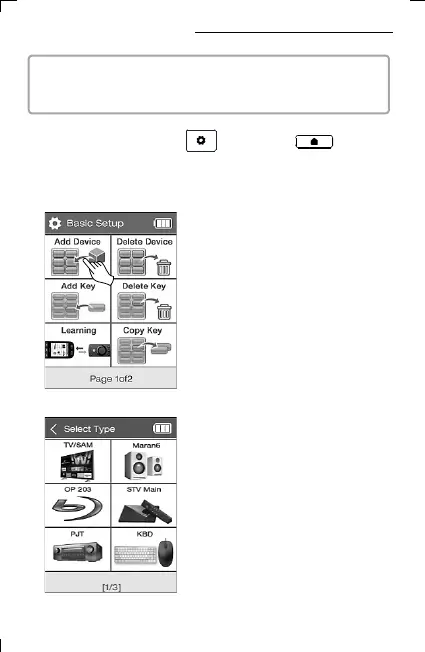
2) Select Add Device.
3) Select the type of device you want to
add. (Swipe the screen left and right or
using the previous/next page buttons.
More devices can be searched.)
1) Press and hold the UC500 setting key or the home
screen key of UC200 for 3 seconds, then the screen goes to basic
setup mode.



 To Next Page