31
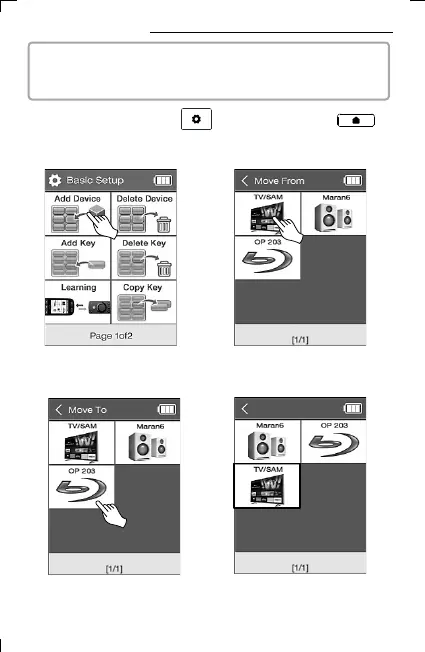
13. Devices Moving
▪ The BECSY multi-remote controller can easily change the device
screen configuration by moving the location of the registered device.
2) Select Move Device on the
second page of Basic Setup
.
3) Select the device to be moved.
4) Select the location you want
to move to.
5) It is automatically sorted after
being moved.
1) Press and hold the UC500 setup key or the UC200
home screen key for 3 seconds to move to the setup mode.



 To Next Page