19
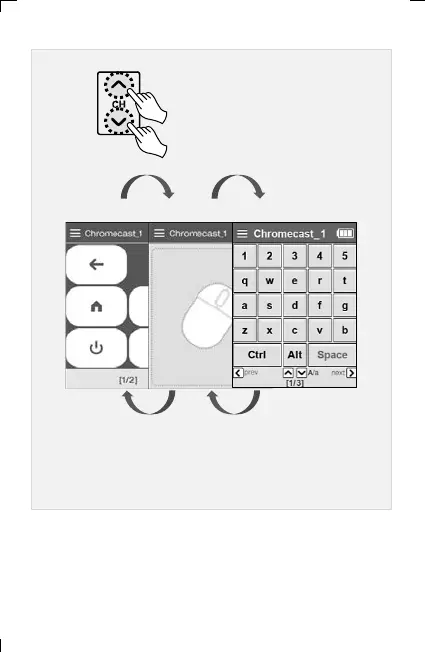
▣ In the OTT/Bluetooth device menu, you can easily move the
screen by using the set's channel UP/DOWN keys.
(Basic UI screen mouse screen keyboard screen)
Moves to the next/previous screen
whenever the channel UP/DOWN
button is clicked
< basic UI screen > < mouse screen > < keyboard screen >
6. Adding and Using OTT/Bluetooth Devices OTT/Bluetooth



 To Next Page