16
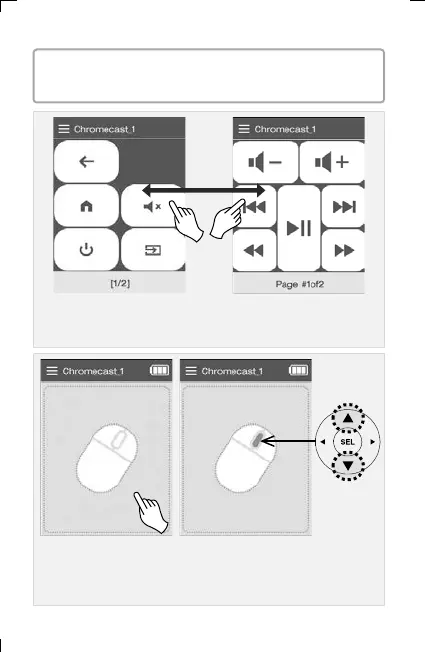
▣ Main UI screen / Media UI screen of Chromecast device
(Switching the screen using left/right scroll or previous/next keys)
▣ Mouse movement by dragging the LCD screen.
The wheel button in the center is controlled by the UP/DOWN
keys.
▪ This is an example of how to use the Chromecast device.
You can use basic mode/mouse mode/keyboard mode.
6. Adding and Using OTT/Bluetooth Devices OTT/Bluetooth



 To Next Page