EasyManua.ls Logo

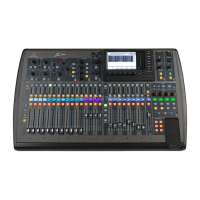
Behringer X32 - User Manual

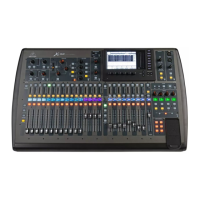
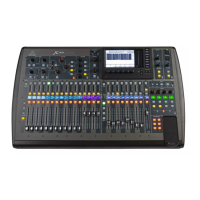
Behringer X32
74 pages
Print Icon
To Next Page IconTo Next Page
Loading...
User Manual
X32 COMPACT DIGITAL MIXER
Compact 40-Input, 25-Bus Digital Mixing Console with
16 Programmable MIDAS Preamps, 17 Motorized Faders,
Channel LCD’s, 32-Channel Audio Interface and iPad/iPhone
Remote Control

Table of Contents

Other manuals for Behringer X32

Question and Answer IconNeed help?

Do you have a question about the Behringer X32 and is the answer not in the manual?

Summary

Important Safety Instructions

1. Operational Overview

Mixer Operational Overview

Overview of basic mixer operations and user interface.

2. Callouts

2.1 Channel Strip and Monitoring

Dedicated controls for key processing parameters of the selected channel.

5. Topic Guide

5.1 Starting up, shutting down, and firmware updates

Procedures for safe startup/shutdown and firmware updates.

5.2 Default setup for connecting to monitoring and P.A. systems

Initial setup for connecting to monitoring and PA systems.

5.3 How do I connect a microphone, process its signal and send it out to the P.A. system?

Step-by-step guide for connecting a mic and sending signal to PA.

5.4 How do I add one of the 8 internal effects to the sound?

Instructions for applying internal effects as loops or inserts.

5.6 How do I set up live stage monitoring?

Steps for setting up live stage monitoring systems.

5.16 Remote control

Setting up remote control via iPad or PC.

5.18 Saving and recalling scenes

Procedures for saving and recalling console scenes.

6. USB Interface Operation Guide

6.1 Configuring the X-USB card for use in the console

Steps to configure the X-USB card within the console.

6.2 Configuring the PC to Interface with the X-USB Card

Guide for setting up PC connection and drivers for X-USB.

7. Main Display

7.4 Routing Screen

Interface for patching internal signal paths to physical outputs.

7.5 Setup Screen

Controls for global, high-level console functions.

7.13 Scenes Screen

Setup for saving and recalling different memory scenes.

8. Specifications

X32 MIDI Implementation

MIDI RX;TX > REMOTE

Remote control of DAW via MIDI (Mackie Control, HUI, raw CC).

Summary

Important Safety Instructions

1. Operational Overview

Mixer Operational Overview

Overview of basic mixer operations and user interface.

2. Callouts

2.1 Channel Strip and Monitoring

Dedicated controls for key processing parameters of the selected channel.

5. Topic Guide

5.1 Starting up, shutting down, and firmware updates

Procedures for safe startup/shutdown and firmware updates.

5.2 Default setup for connecting to monitoring and P.A. systems

Initial setup for connecting to monitoring and PA systems.

5.3 How do I connect a microphone, process its signal and send it out to the P.A. system?

Step-by-step guide for connecting a mic and sending signal to PA.

5.4 How do I add one of the 8 internal effects to the sound?

Instructions for applying internal effects as loops or inserts.

5.6 How do I set up live stage monitoring?

Steps for setting up live stage monitoring systems.

5.16 Remote control

Setting up remote control via iPad or PC.

5.18 Saving and recalling scenes

Procedures for saving and recalling console scenes.

6. USB Interface Operation Guide

6.1 Configuring the X-USB card for use in the console

Steps to configure the X-USB card within the console.

6.2 Configuring the PC to Interface with the X-USB Card

Guide for setting up PC connection and drivers for X-USB.

7. Main Display

7.4 Routing Screen

Interface for patching internal signal paths to physical outputs.

7.5 Setup Screen

Controls for global, high-level console functions.

7.13 Scenes Screen

Setup for saving and recalling different memory scenes.

8. Specifications

X32 MIDI Implementation

MIDI RX;TX > REMOTE

Remote control of DAW via MIDI (Mackie Control, HUI, raw CC).

Behringer X32 Specifications

General IconGeneral
Frequency range10 - 22000 Hz
Channels quantity40 channels
Digital sound processing24 bit
Total Harmonic Distortion (THD)0.006 %
Monitor out1
Headphone connectivity6.3 mm
USB 2.0 ports quantity2
DJ mixer-
Product colorBlack
Weight and Dimensions IconWeight and Dimensions
Depth528 mm
Width900 mm
Height200 mm
Weight20600 g

Videos

How To Connect Speakers to Behringer X32

How to Remove Snippets and Cues on Behringer X32 Mixer

How to Use the EQ on the Behringer X32 Mixing Desk

How to Turn Off the Behringer X32 Mixing Desk

Related product manuals