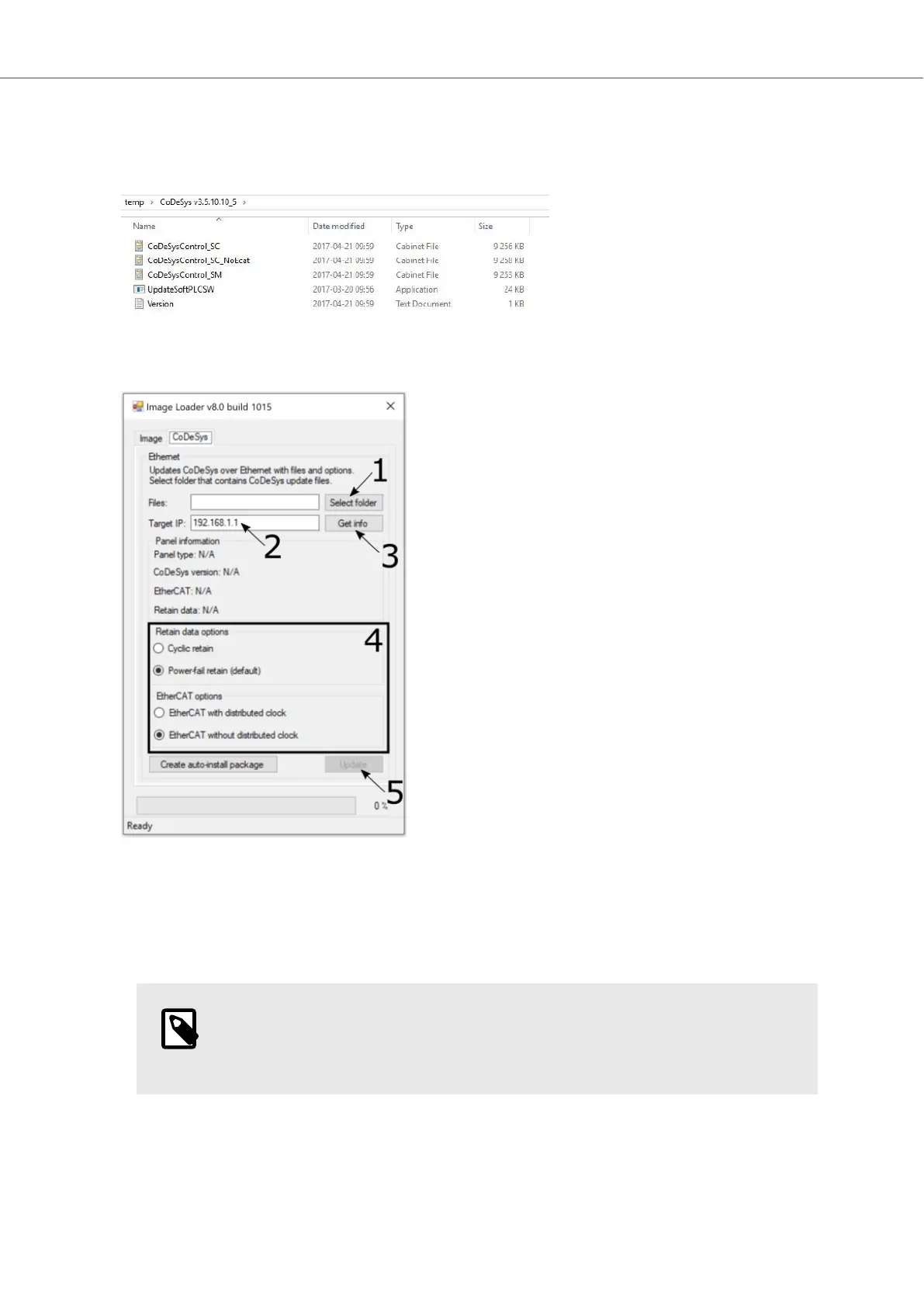
To update the CODESYS Runtime, the folder containing the CODESYS .cab-files listed below must be
specified in the Image Loader utility. The existing Power Management and EtherCAT Distributed Clock
settings are shown in the Image Loader utility and can be set before updating the CODESYS Runtime.
Do the following:
1. Select the folder that contains the CODESYS files.
2. Input the Target IP address for the device.
3. Press the Get info button to make sure that communication with the device is working.
4. Select the desired options for Retain data and EtherCAT.
NOTE
The only valid options for BoX2 motion are Power fail retain and EtherCAT with
distributed clock.
Image and CODESYS Runtime Update
2023-06 20 Beijer Electronics, MAEN363



 To Next Page