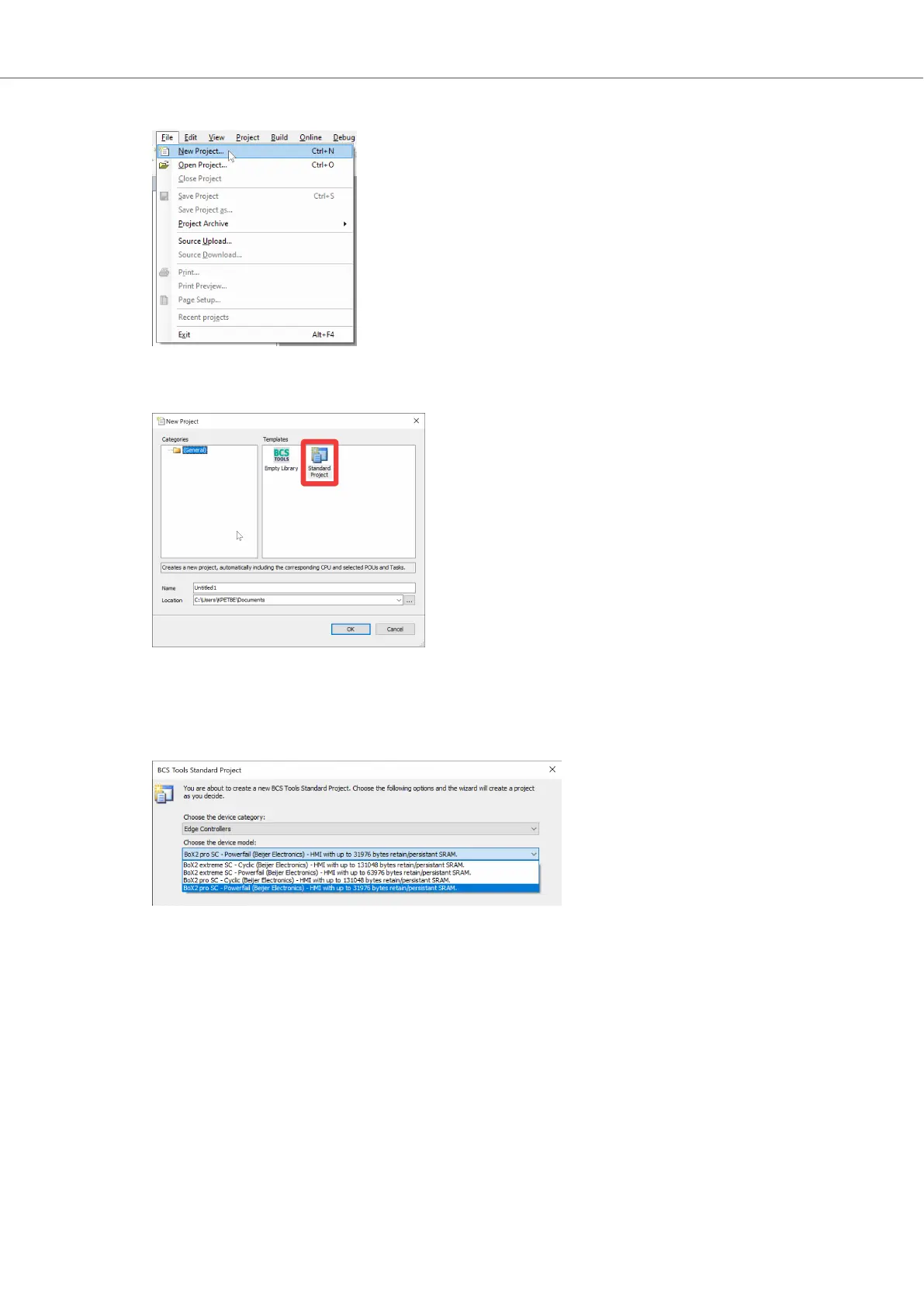
2. Choose Standard Project.
3. In the BCS Tools Standard Project window, click the Choose the device category: drop-down
and select the Edge Controllers group.
4. Click the Choose the device model: drop-down and select your BoX2 device from the list.
Getting Started and Commonly Used Functions
Beijer Electronics, MAEN363 31 2023-06



 To Next Page