Additional Installation Tip s
* *
*
***
**
*
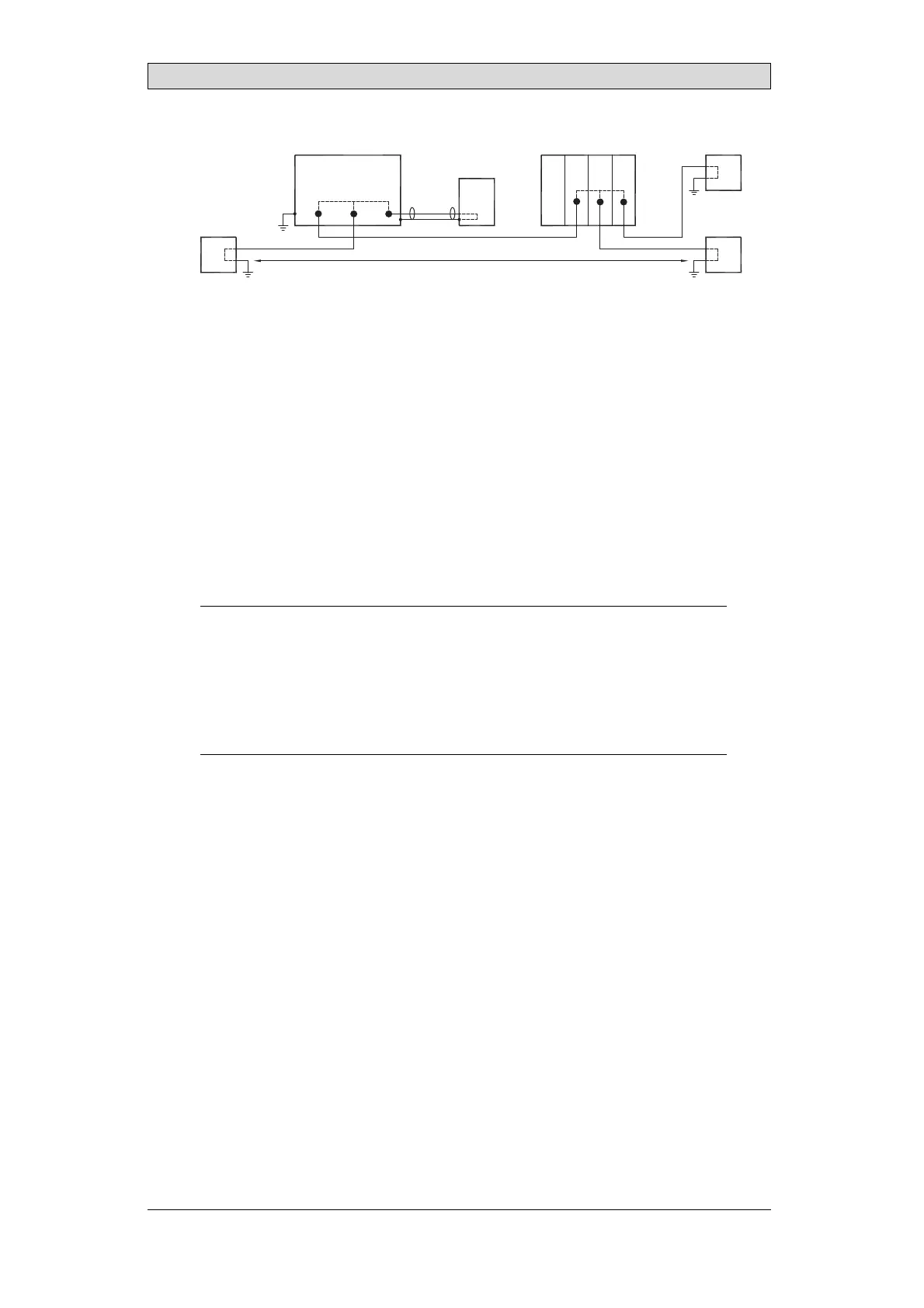
Operator panel Modular controller Printe
PCPC
Different ground potential
*
= Internal 0 V (GND) connection
Power CPU COM COM2
RS422 RS232 USB
When a PC is connected to the operator panel, the internal 0 V (GND) of the
panel is connected to the protective ground via the PC.
A number of USB devices can have the shield connected together with the
protective ground. Here, the 0 V (GND) of the operator panel is connected to the
protective ground when, for example, a USB memory stick, keyboard, or similar
device is plugged in.
If a number of units are connected that have a 0 V and a ground connection, and
these are connected to various grounding points, there is a substantial risk of
problems. Grounding currents go through communication cables, the rear plate
of the controller, internally in the operator panel, and can cause errors.
Use extern a l units to improve communication and achieve galvanic isolation.
Westermo has good industry-standard insulators that are also insulated from the
24 V DC feed.
Note:
Itisveryimportanttomakesurethatthe24Vfeed
intheexternalinsulationunitisnot
connectedtooneofthecommu nicationoutl ets.
Ifitdoesnothave100%insulation
againstthe24Vfeed,disturbancesandground
ingcurrentsfromthe0Vonthe24V
sidedisruptthecommunication.
Usingthistypeofunitsolvesoneproblembu
tcreatesalargerproblem! Asubstandard
installationmayworknow,butproble
msmayarisewhenotherdevicesareconnected.
BeijerElectronics, MAEN330
27


 To Next Page