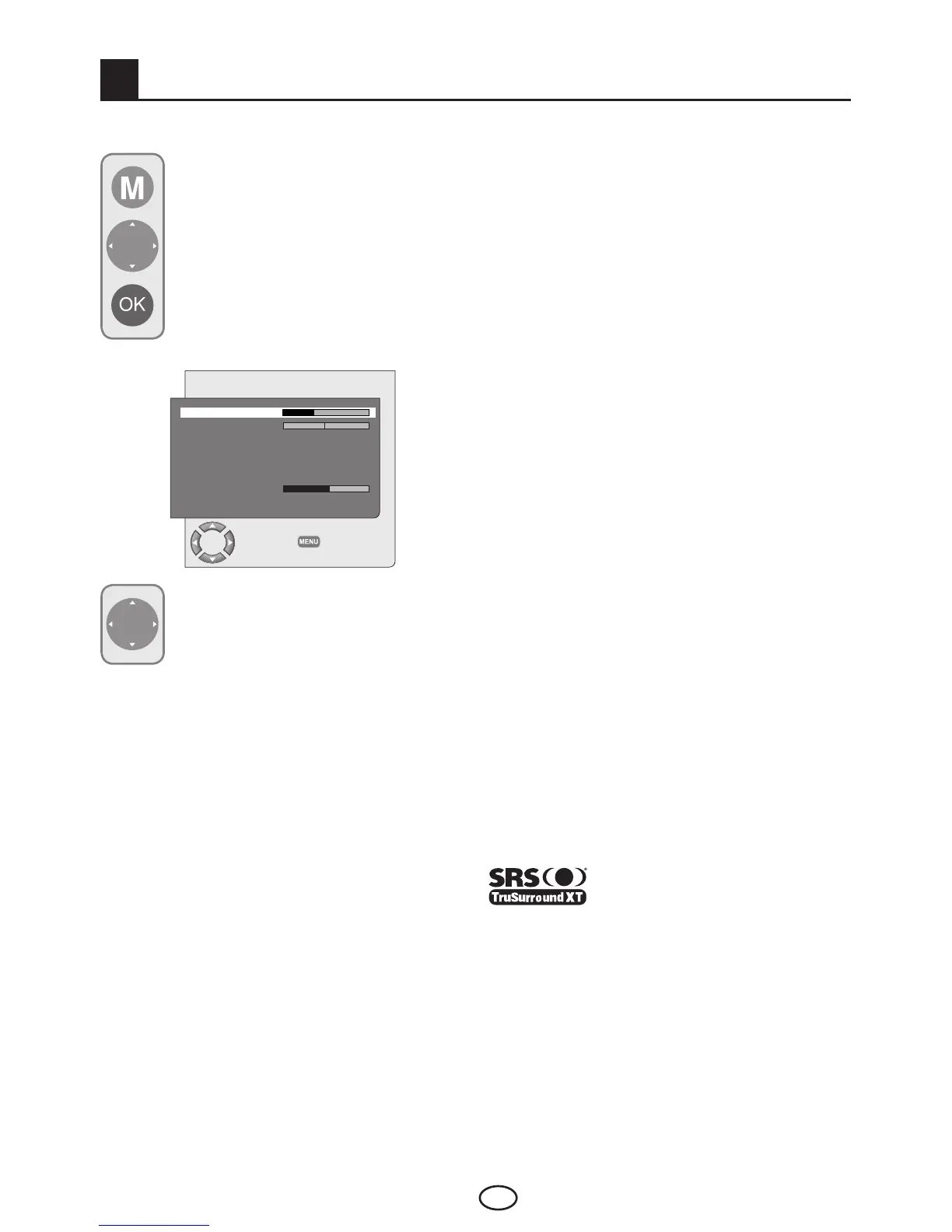
You can select the tab which you want
to process with the Down movement
button and set its level with Left/Right
movement buttons.
7.1.1-Balance
To adjust the sound balance between the right
and left loudspeakers to the desired level, select
the BALANCE tab in the sound menu by using
the Downmovementbutton.UsingtheLeft/
Right movement buttons adjust this option to the
desired level.
7.1.2-Sound Type
The program you watch may be broadcast in
stereoorintwodifferentlanguages.Usingthe
Right/Left movement buttons in this menu,
youcanselectMono/StereoorDual-I/Dual-II
languages.
7.1- Sound Menu Settings
You may perform volume settings by
using the VOL+ or VOL- buttons on
your television or the VOL+/VOL-
buttons on your remote control. You can
perform other Sound settings by entering
the Sound menu. For this, press the M
button on your remote control. Select
SOUND by pressing the Up/Down
movement buttons from the main menu
and press the OK button. The Sound
menu is displayed.
7
Settings of Your New Television
7.1.3-Sound Mode
Sound mode can be set as NORMAL, SPATIAL
or SRS by means of direction buttons. Spatial
option gives depth to the sound of the program.
Options in the SRS menu become active when the
SRS function is selected.
Note: SRS menu will not be active if the SRS is
not selected from the Sound mode tab.
7.1.4-AVL (Automatic Volume
Limiting)
Television transmitters have different sound
levels. This can be noticed as high and low
volume levels in different channels while switching
fromoneprogramtoanother.UsingtheLeft/
Right movement buttons, select ON. The AVL
(AutomaticVolumeLimiting)functionmaintainsthe
same sound level as you switch from program to
program. Select OFF to cancel it.
7.1.5-Headphones
By connecting headphones to your television you
can listen to the program sounds independently
from your television. To turn up and down the
headphone volume level, select HEADPHONE tab
from the Sound menu and adjust the volume level
by using the Left/Right movement buttons. When
you want to hear the sound from the headphone
only, just press the MUTE button on your remote
control.
7.1.6-SRS TruSurround Sound
This is the virtual sound technology. With
TruSurround, 6 different channels of the digital
sound are processed in two channels and
conveyed to the audience through two speakers.
TruSurround system is used to create a virtual
surround sound effect in environments where there
is no 4.1 or 5.1 speaker systems exist.
TruSurround is a registered
trademark of the SRS Labs. Inc.
TruSurround XT technology is covered under
the license of SRS Labs. Inc.
SOUND
VOLUME
BALANCE
SOUND TYPE STEREO
SOUND MODE NORMAL
AVL OFF
EQUALIZER
HEADPHONE
SRS OFF
CHANGE
BACK



 To Next Page