Note: Since the use of certain functions in order
tochangethepicturesizesforcollectiveprojection
orcommercialpurposes(modifyingtheheight
andwidthetc.)willbedeemedaninfringementof
the picture’s copyright, legal proceedings can be
carried out as required under relevant laws.
7.3-Features Menu Settings
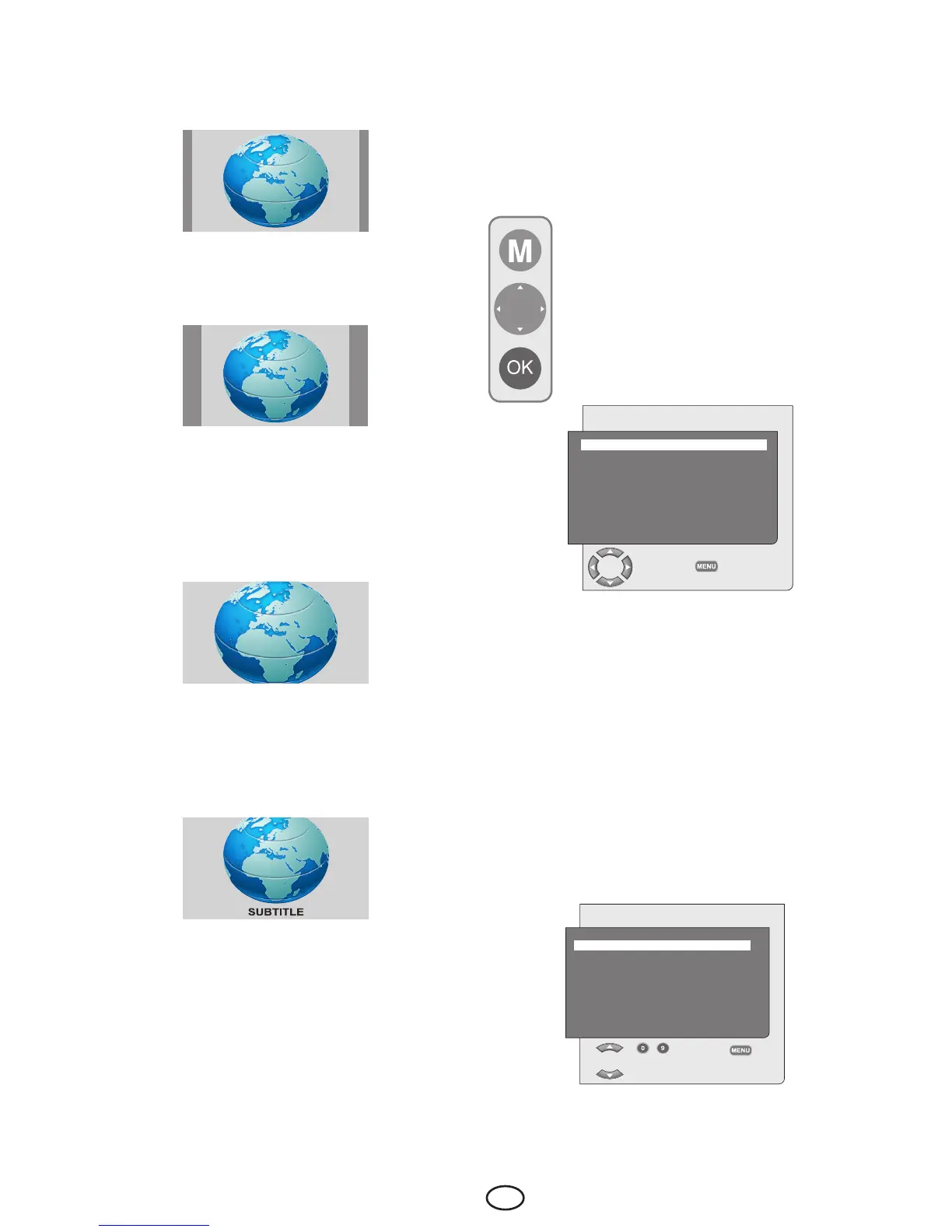
Press the M button on your remote
control. Select FEATURES by pressing
the Up/Down movement buttons from
the main menu and press the OK button.
The Features menu will be displayed.
You can select the titles for which you
would like to perform an operation in this
menu by using the up/down movement
buttons.
7.2.10.3-14:9
This is a movie format.
7.2.10.4-4:3
Usethissettingtowatchthebroadcastsinthe4:3
format.
7.2.10.5-Letterbox
Whilewatchinga“16:9orCinemascope
formatted” film or video cassette, this setting will
eliminateorminimizetheblackstripesonthe
backgroundbyzoominginthepicturewithout
diffusing it.
7.2.10.6-Subtitle
Ifthesubtitlesaretransmittedinthe“16:9
formatted” broadcast, then this setting will push
the picture upwards in order to ensure the entire
written text to be seen.
FEATURES
LANGUAGE ENGLISH
TIMER
CHILD LOCK OFF
PANEL LOCK OFF
CHANGE
BACK
7.3.1-Language
Select the Language tab and press right/left
movement buttons to select the language of the
desired country. All the setting displays of your
television will be shown in the language that you
selected.
7.3.2-Timer
Your television is equipped with the feature of
being able to be turned off and on at periods that
you specify. Select TIMERbypressingtheup/
down movement buttons and press the OK button
in order to have your TV turned off at the end of a
desired period. The Timer menu will be displayed.
TIMER
CLOCK 08 : 00
ON TIME - - : - -
OFF TIME - - : - -
PROGRAM NO P01
CHANGE
BACK



 To Next Page