MIPP
Release
01
01/12
21
3.1.2 Housing expansion for additional modules
Proceed as follows:
Remove all modules.
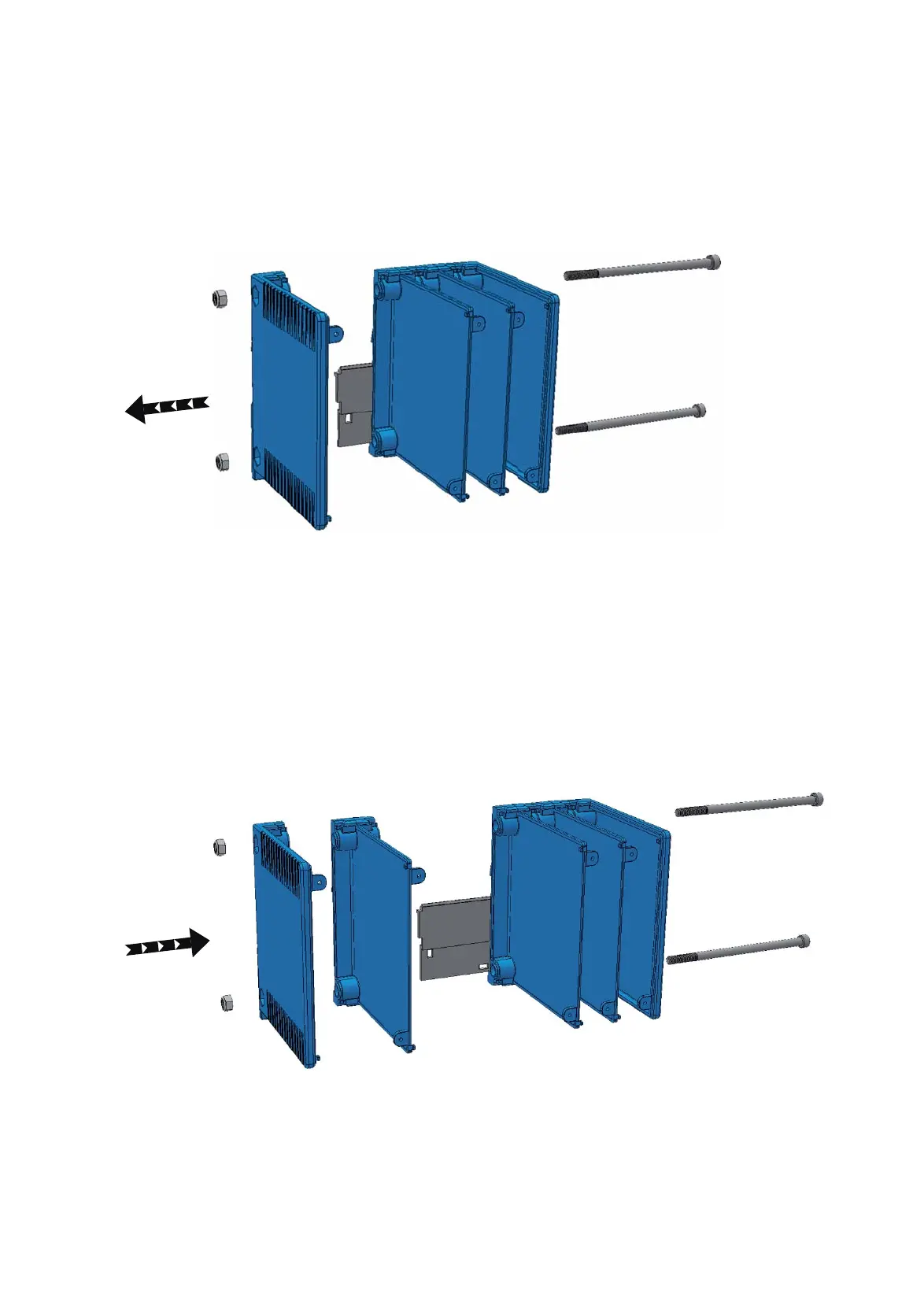
Remove the 2 bolts at the left housing wall.
Remove the right housing wall (see fig. 14).
Figure 14: Removing the housing wall
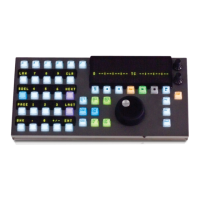
Install a spacer that corresponds to the module shape:
1 Spacer with divider for every single module to be added.
1 Spacer without divider and 1 spacer with divider for every double
module to be added.
Replace the original slider with 1 slider of the corresponding size.
Install the housing wall on the added spacer.
Figure 15: Installing the spacer
Fix the housing with 2 bolts of the corresponding size.
Place the 2 coil springs under the slider.


 To Next Page