Dialed Call Number of calls made.
Rejected
Call
Number of rejected calls.
Forwarded
Call
Number of forwarded
calls.
Maintenance
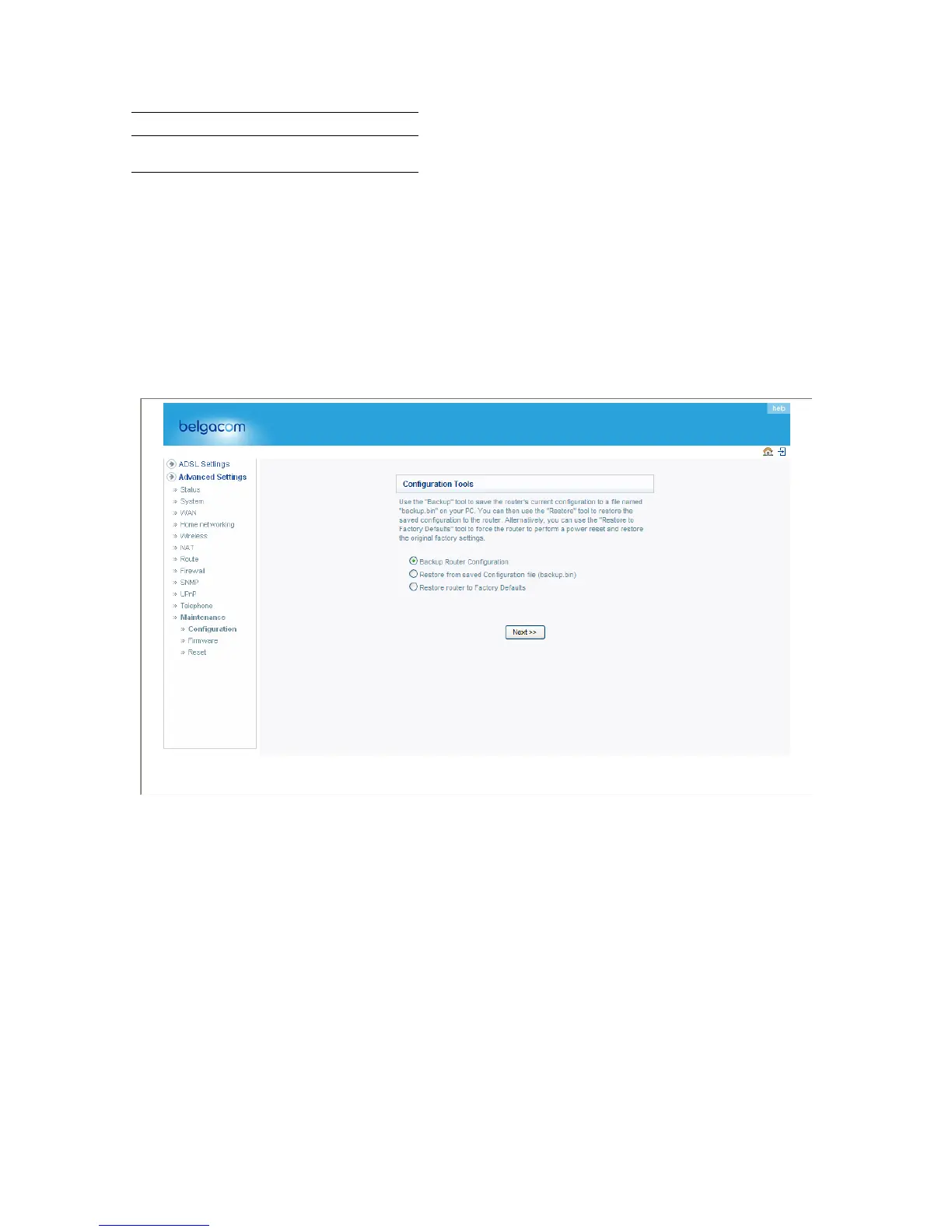
Check Backup Router Configuration and click “NEXT” to save your Belgacom b-box’s
configuration to a file named “backup.bin” on your PC.
You can then check Restore from saved Configuration file (backup.bin) to restore the saved
backup configuration file.
To restore the factory settings, check Restore router to Factory Defaults and click “NEXT.” You
will be asked to confirm your decision. Click “APPLY” to proceed, or “CANCEL” to go back.
Firmware Upgrade
Use this screen to update the firmware or user interface to the latest versions.
78


 To Next Page