Using the Belkin Wireless Networking Utility
section
25
1
2
3
4
5
6
WEP Setup
64-Bit WEP Encryption
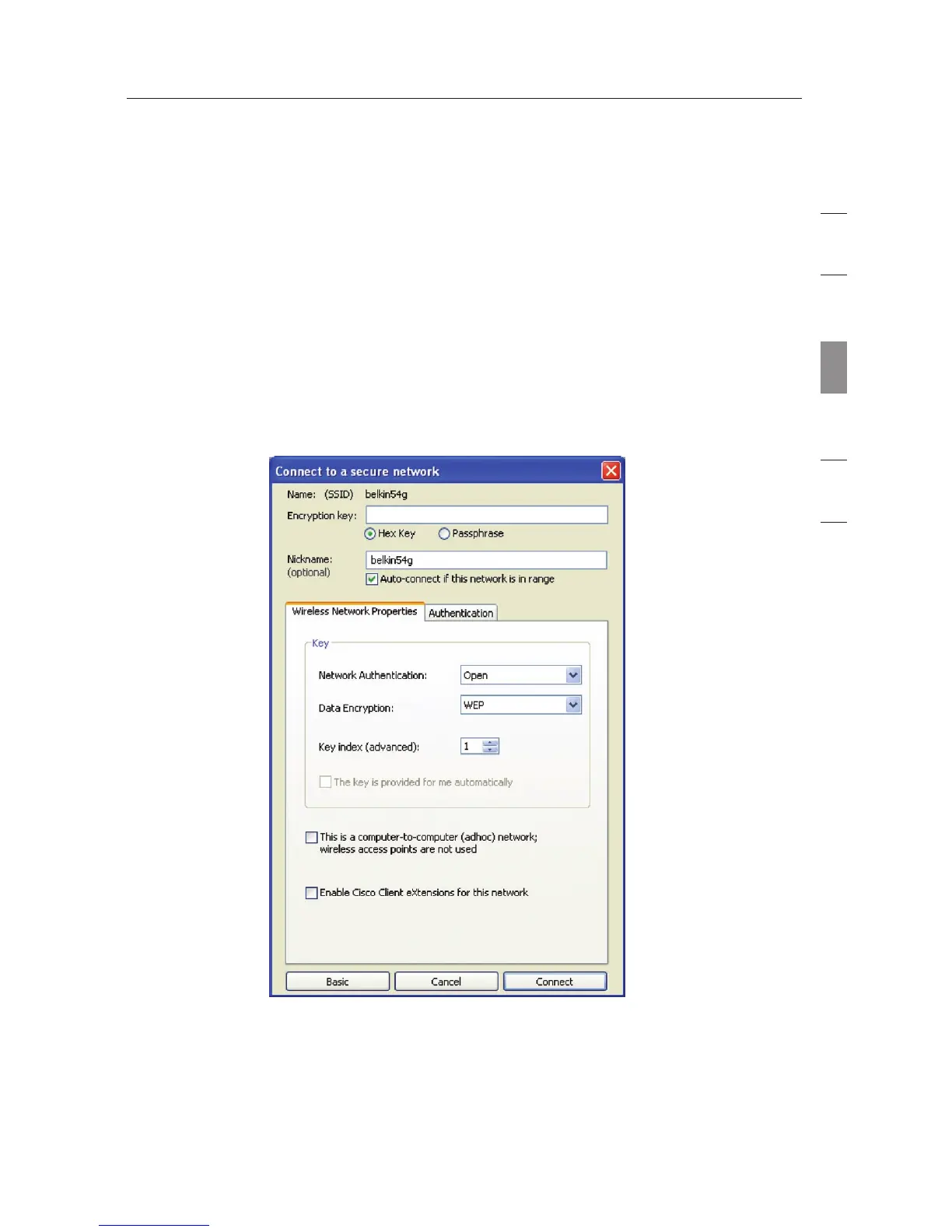
1. Select “WEP” from the “Data Encryption” drop-down menu.
2. After selecting your WEP encryption mode, you can enter your
key by typing in the hex key manually.
A hex (hexadecimal) key is a combination of numbers and letters
from A–F and 0–9. For 64-bit WEP, you need to enter 10 hex keys.
For instance:
AF
0F 4B C3 D4 = 64-bit WEP key
3. Click “Save” to finish. Encryption in the wireless router (or access
point) is now set. Each of your computers on your wireless
network will now need to be configured with the same security
settings.



 To Next Page