Step 1 Install
IMPORTANT: Install the software before inserting the Adapter.
1.1
Insert the Installation Software CD into your CD-ROM drive.
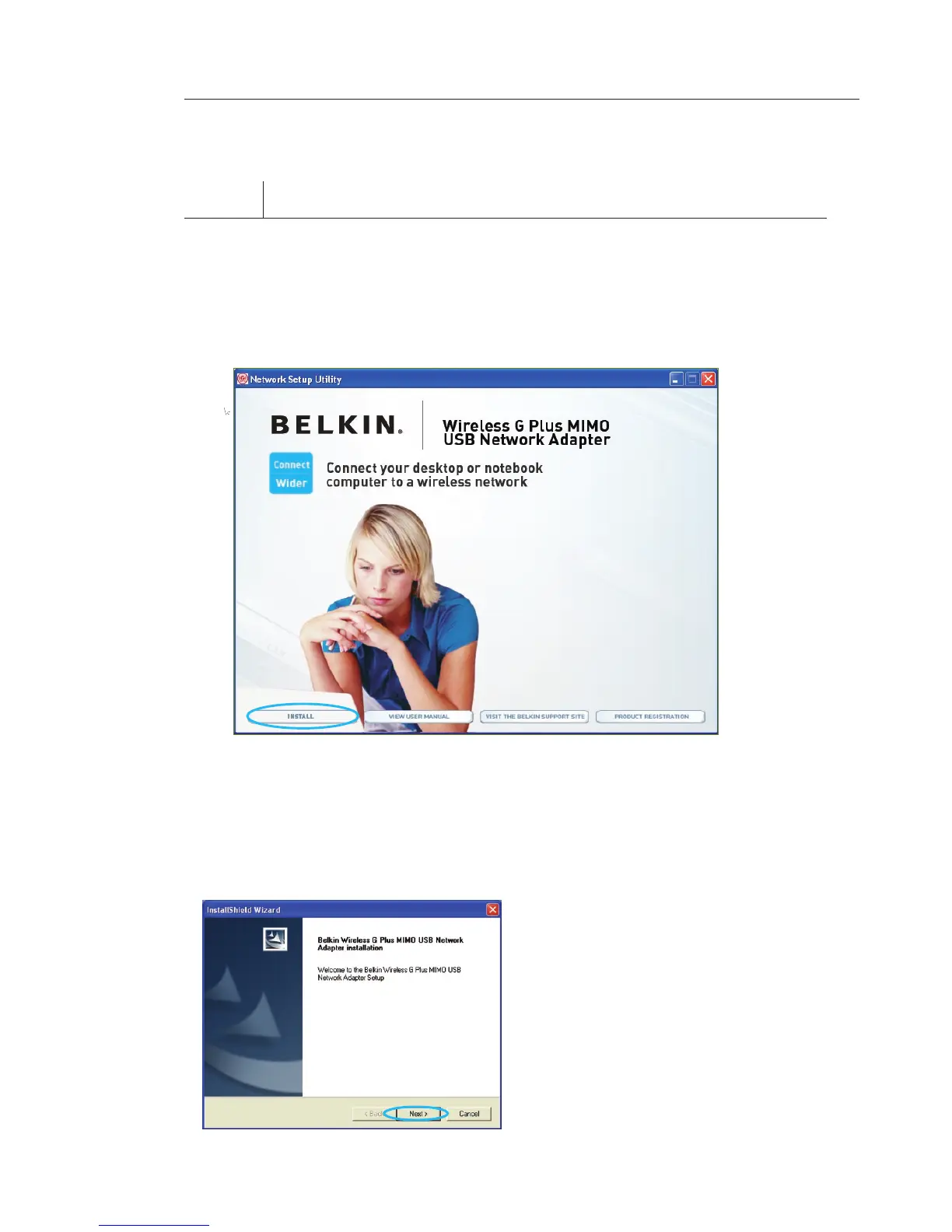
1. 2 The Belkin Setup Utility screen will automatically appear. (This may
take 15–20 seconds.) Click “install” to start the installation.
Note: If the Belkin Setup Utility screen does not appear within
20 seconds, access your CD-ROM by double-clicking on the “My
Computer” icon; then double-click on the CD-ROM drive into which
the installation CD has been placed. Double-click on the folder named
“files”, then double-click on the icon named “setup.exe”.
Installing and Setting up the Adapter
1.3 Click “install”.
1.4 The InstallShield Wizard will
now start. Click “Next” to
continue.








 To Next Page