Using the Belkin Wireless Networking Utility
15
1
2
3
4
5
6
section
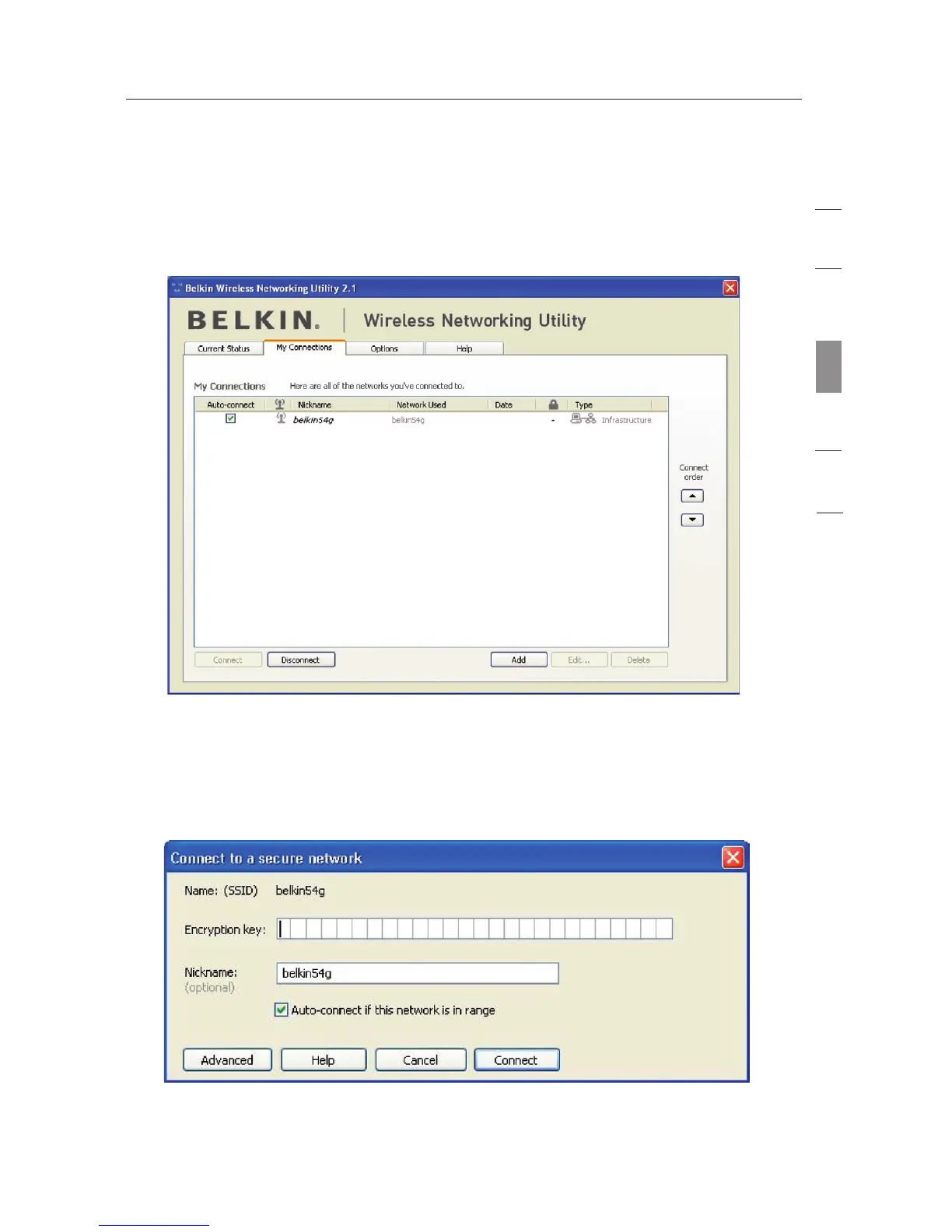
Setting Wireless Network Profiles
The “My Connections” tab on the WNU allows you to add, edit, and
delete connection profiles. It also displays signal strength, security,
and network type.
Securing your Wi-Fi
®
Network
If you choose to connect to a secure network, determine the type
of security (WPA or WEP*) and use the appropriate field in the
dialog box.
*Note: Types of security








 To Next Page