

EasyManua.ls Logo

Bell Fibe Internet User Manual

Bell Fibe Internet
24 pages
To Next Page IconTo Next Page
Page #1 background imageLoading...
Page #1 background image
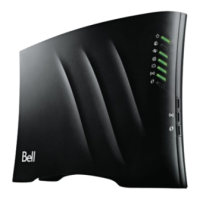
Fibe Internet Connection Hub
Reference Guide
FibeInternet_ConnectionHub_ReferenceGuide_Eng_V7 1 11-06-24 4:09 PM
Question and Answer IconNeed help?

Do you have a question about the Bell Fibe Internet and is the answer not in the manual?

Bell Fibe Internet Specifications

General IconGeneral
BrandBell
ModelFibe Internet
CategorySwitch
LanguageEnglish

Summary

Bell Fibe Internet Personal Account Details

Bell Internet Personal Account

Details for user ID, access password for internet and web space.

Wireless Home Network

Network name (SSID), WPA2 key, admin password for wireless network.

The Connection Hub Overview

Setting Up Wireless Connections

Primary Wireless Network

Connecting to the main network for internet and shared devices.

Guest Wireless Network

Setting up a separate network for guests with optional timed access.

Wi-Fi Protected Setup (WPS)

Connecting devices using the WPS button for simplified setup.

Connecting USB Devices

USB Device Mapping

Setting an Admin Password

Changing Admin Password

Step-by-step guide to changing the Connection Hub administrator password.

Modifying Connection Hub Settings

Accessing Settings via Web Browser

How to access the Connection Hub's configuration interface.

Wireless Network Configuration

Configuring Primary Wireless Network

Settings for the main Wi-Fi network name, security, and broadcasting.

Configuring Guest Wireless Network

Settings for a separate guest Wi-Fi network, including timer and security.
Advanced Wireless Settings

Updating Internet User ID and Password

Resetting the Connection Hub