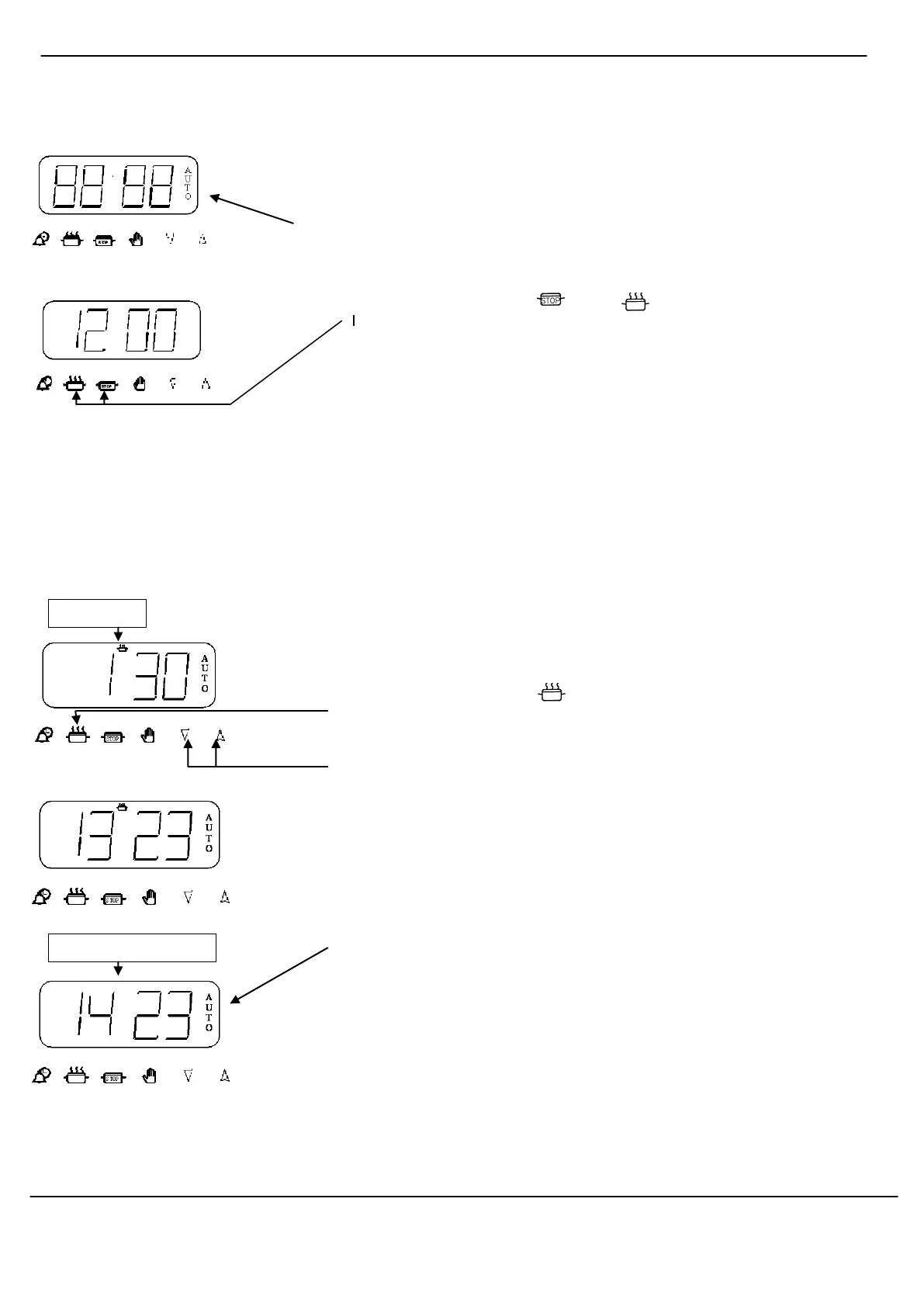
To set the Time of Day Step 1 Make sure all the oven controls are turned off.
Step 2 Check that the electricity supply to the oven is switched on.
Step 3 When switched on the display will show 0.00 and Auto flashing
intermittently.
Step 4 Press and hold the and buttons together (the display
shows 12.00). At the same time press either the “+” or “-“ button to set
the correct time of day.
RELEASE AND THE TIME OF DAY IS NOW SET.
To set Timer to switch (This allows you to cook immediately for a chosen period of time OFF Automatically
before the oven switches OFF Automatically)
Step 1 Ensure the time of day is set correctly.
Step 2 Place food onto the correct shelf position in the oven.
Step 3 Turn the oven control to the required temperature (The oven should
now be operating).
Step 4 Press and release the button. The display will read 0.00 with the
cook-pot lit.
Within 2 seconds press and hold the “ Up ” or “Down “ button until the required
cooking period is set.
(Adjustment can be made by pressing the “ - “ button)
The timer display will revert to the time of day with the Auto symbol and Cook-
pot lit.
At the end of the cooking period the Auto symbol will flash and an intermittent
bleeping sound will be heard. This will continue for approximately 2 minutes
unless the timer is reset within this period (See step 6).
The oven will no longer operate until the timer has been reset to manual
operation (See steps 5 & 6 on the next page).
Timer Instructions
Cook pot symbol
disappears



 To Next Page