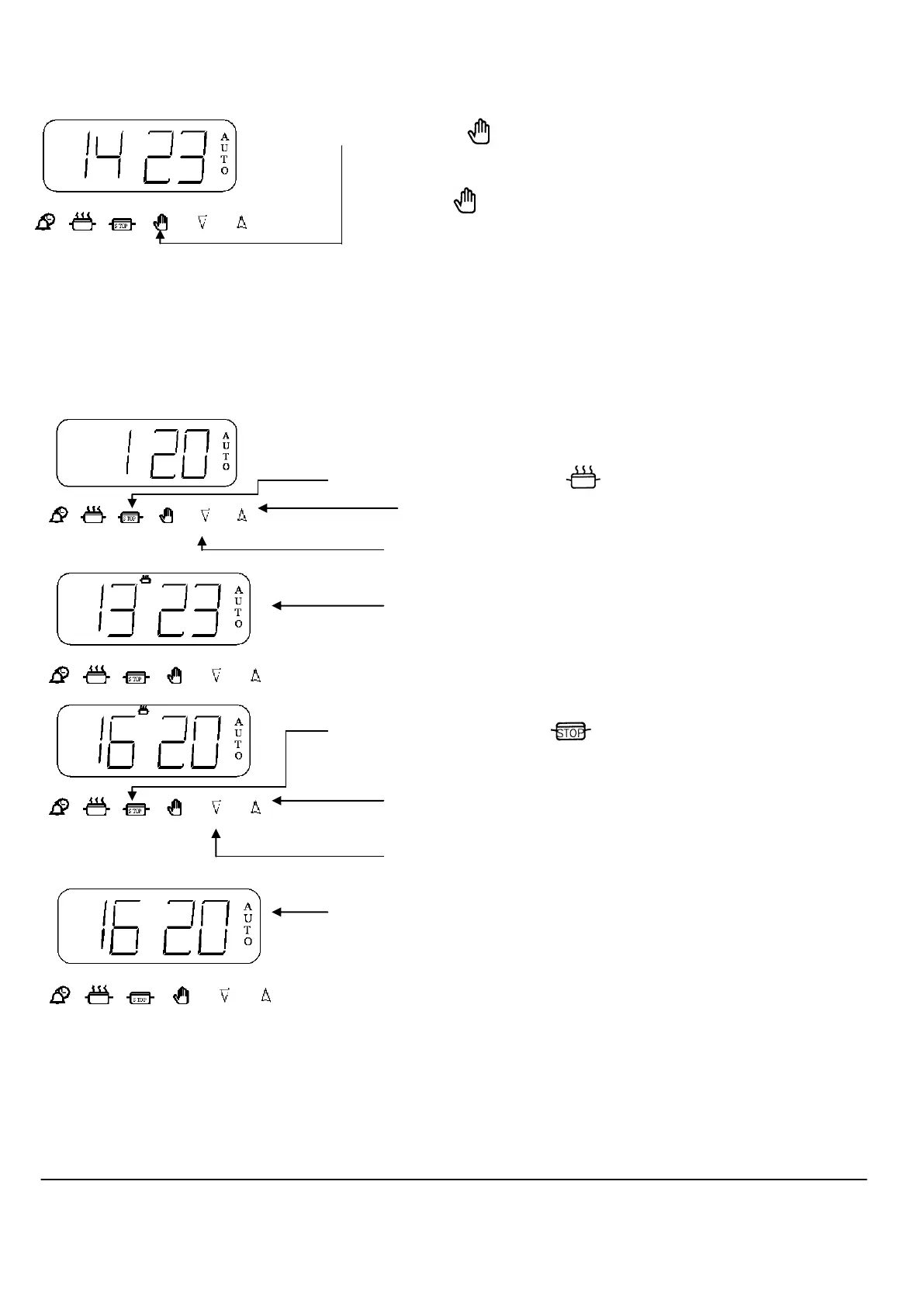
To set Timer to switch OFF Step 5 Turn off the oven control
Automatically (Continued)
Step 6 Press the button to cancel the bleeping (If 2 minutes has not
elapsed)
Press button again to return to manual operation.
To set Timer to switch ON (This allows you to cook at a specified time for a chosen period
& OFF Automatically before the oven switches OFF Automatically
Step 1 Ensure the time of day is set correctly.
Step 2 Place food onto the correct shelf position in the oven.
Step 3 Press and release the “ “ button. The display will read 0.00 with
the cook-pot lit. Within 2 seconds press and hold the “ Up ” button
until the required cooking period is set.
(Adjustment can be made by pressing the “ Down “ button).
The timer display will revert to the time of day with the Auto symbol
and cook-pot lit.
Step 4 Press and release the “ “ button. The display will read the
earliest possible end time with the cook-pot and Auto symbol lit.
Within 2 seconds press and hold the “ Up ” to set the time you require
the food to be ready, with only the Auto symbol lit.
(Adjustment can be made by pressing the “ Down “ button).
Step 5 Turn the oven control to the required temperature.
(The oven will now switch on later at the designated time, cook for the
required period and switch off automatically at the stop setting).
At the end of the cooking period the Auto symbol will flash and an intermittent
bleeping sound will be heard. This will continue for approximately 2 minutes
unless the timer is reset within this period (See Step 7).
The oven will no longer operate until the timer has been reset to manual operation (See steps 6 & 7 on the next page).
Timer Instructions



 To Next Page