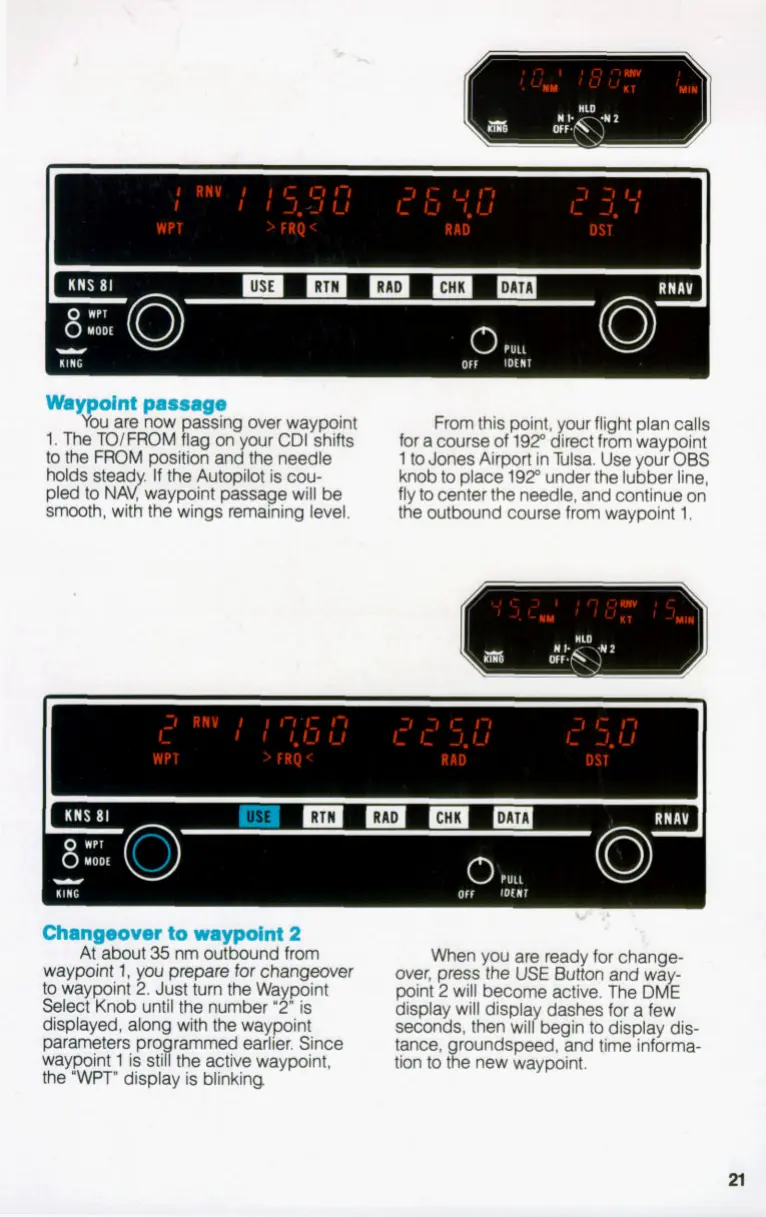
Way oint passage
Xu are now passing over waypoint
1. The TO/FROM flag
on
your
CDI
shifts
to
the FROM position and the needle
holds stead If the Autopilot is cou-
pled
to
NAqwaypoint passage will be
smooth, with the wings remaining level.
From this point, your flight plan calls
for a course
of
192" direct from waypoint
1
to
Jones Airport in Tulsa. Use your
OBS
knob to place 192" under the lubber line,
fly to center the needle, and continue on
the outbound course from waypoint
1.
li
I
Changeover to waypoint
2
At about
35
nm outbound from
waypoint
1,
you prepare for changeover
to
waypoint
2.
Just turn the Waypoint
Select Knob until the number
'2"
is
displayed, along with the waypoint
parameters pr rammed earlier. Since
waypoint
1
is
sg
the active waypoint,
the
'WPT"
display is blinking
When you are ready for change-
over, press the
USE
Button
and way-
point
2
will become active. The
DME
display will displa dashes for a few
seconds, then vdbegin to display dis-
tance, roundspeed, and time informa-
tion tot
a
e new waypoint.


 To Next Page