Page18
6.11.1 Ultra-low Power Mode with Serial Port Communication
(1) Turn on Ultra-low Power Mode
The command “Ultra-low Power Mode ID_ ULTRA_LOW_POWER_MODE=0x58” is used
to turn on Ultra-low Power Mode. TF-Luna will stop serial port outputting data once the
command is delivered. However, it will not enter the mode immediately. Users should
send “Save current setting ID_SAVE_SETTINGS=0x11” to save current settings and then
send “System software restore ID_SOFT_RESET=0x02” to reset system. Later on, TF-Luna
will enter the Ultra-low Power Mode. Since the settings have been saved, TF-Luna will
enter directly into this mode on next boot-up.
(2) Bring up Range-finding
Users can wake up TF-Luna and make it perform range-finding once by sending a random
byte to the serial port. TF-Luna will send back the range-finding result in a specific format,
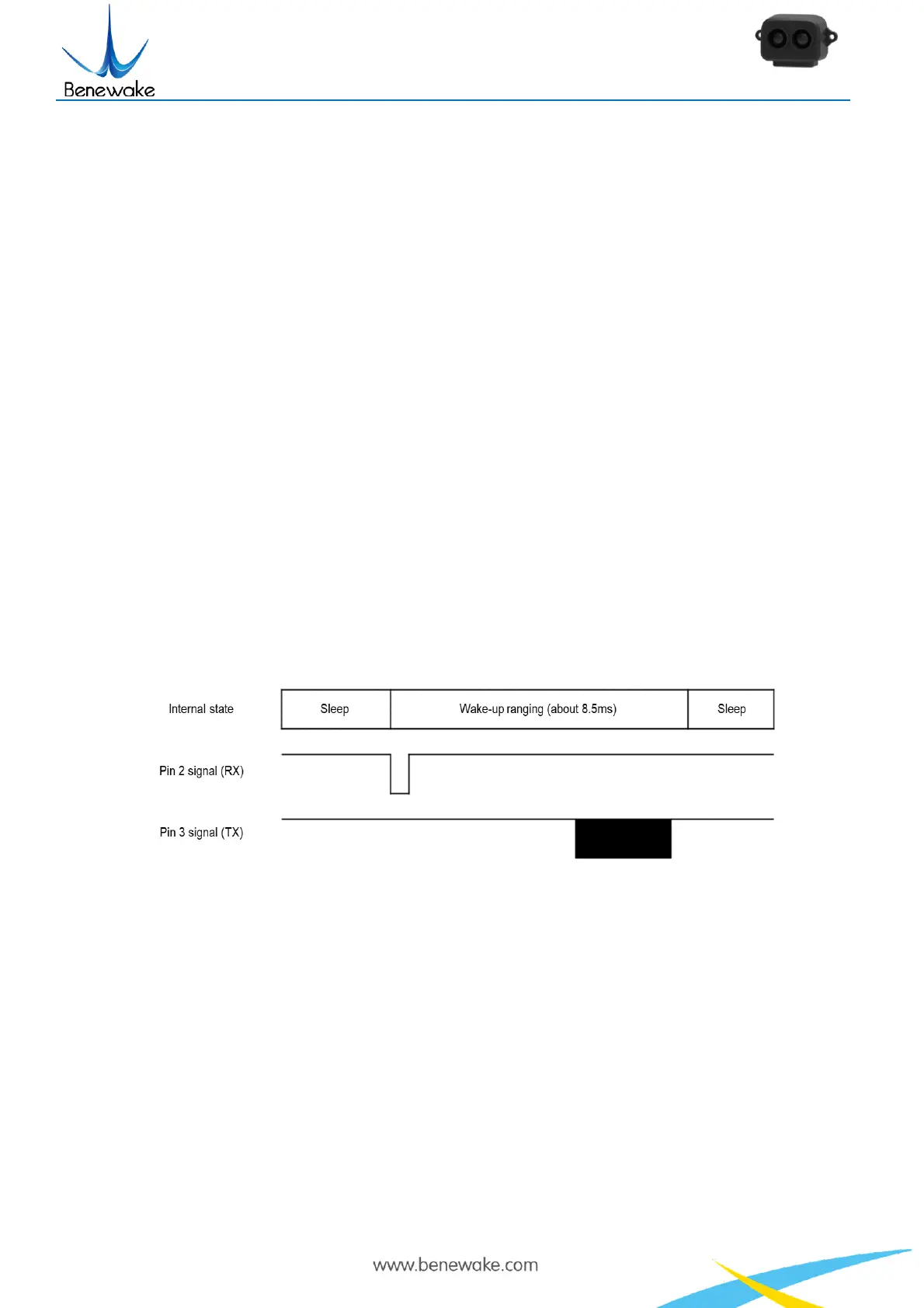
and then enter Ultra-low Power Mode once again. The following graph shows the case in
which the baud rate is 115200 with 9-byte output format. The awakening lasts about
8.5ms.
Figure 7 Time sequence of Ultra-low Power Mode with serial port communication
(3) Turn off Ultra-low Power Mode
Users cannot exit the Ultra-low Power Mode directly, because the serial port
communication module is disabled. TF-Luna can only receive serial port commands
during short intervals when it is awake. Therefore, users need to continuously send the
command “Ultra-low Power Mode ID_ ULTRA_LOW_POWER_MODE=0x58” to disable
the Ultra-low Power Mode untill TF-Luna responds. After that, users should send “Save
current setting ID_SAVE_SETTINGS=0x11” command to save current settings.
(4) Estimation of Power Consumption


 To Next Page