Page23
8 Firmware upgrade
TF-Luna allows upgrading firmware remotely when current firmware no longer supports users’
new requirements. Please contact us for the additional remote upgrading software if any relevant
firmware upgrades are available on Benewake official website.
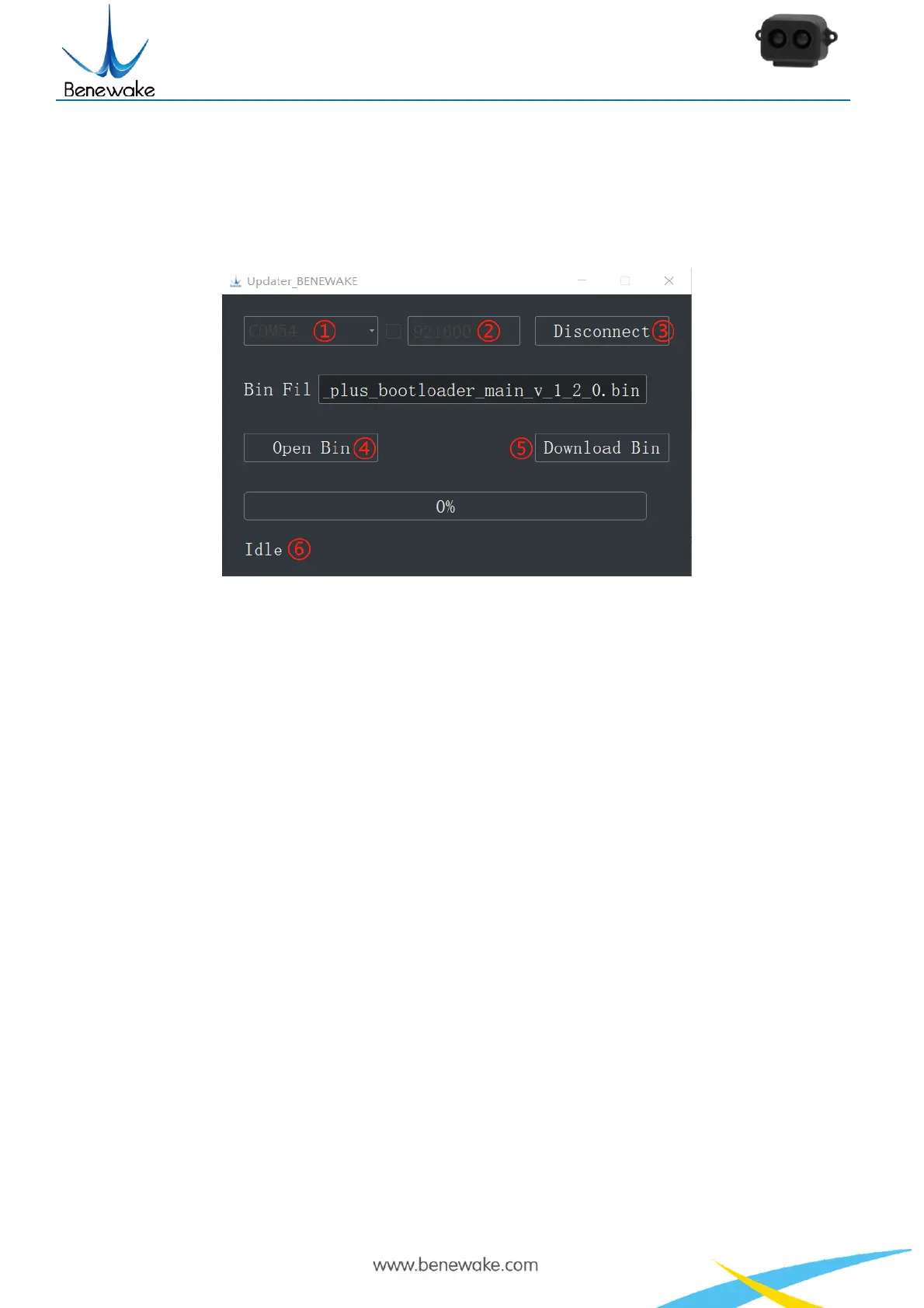
Figure 11 Firmware Upgrade PC software of TF-Luna
The tools for an upgrade are mostly the same as those in the Quick Test Guide, including a
TTL-USB convertor to connect TF-Luna with PC.
Open the Updater.exe after connecting TF-Luna to your PC, and then select the correct port and
baud rate, “①COM8” and “② 115200” in this case. Click “④ Open Bin” to choose the updating
firmware, then the file directory will be displayed in the textbox above. Finally, click “⑤ Download Bin”
to start upgrading and the upgrading information will show up in “⑥”.
Note: The full directory of the firmware files must use English letters only.


 To Next Page