2 135113 Rev C 4/2/18
STEP 1 - DISPENSER IDENTIFICATION NUMBER (DIN)
Identifying the features of the unit prior to installation will provide an understanding of how to perform an accurate installation. Follow the steps
below to determine what type of 3000 Series Electronic Dispenser you are installing.
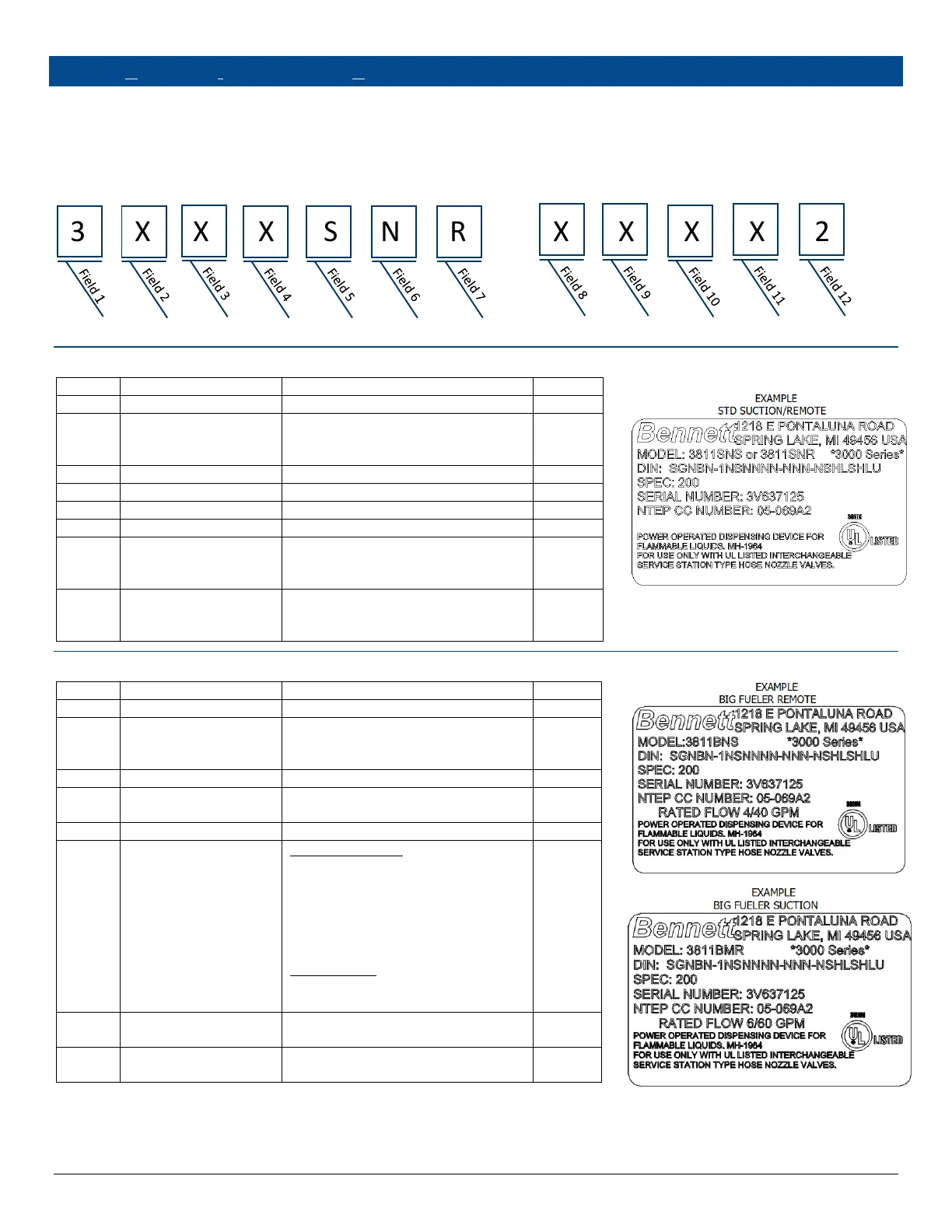
DIN numbers are used to identify what type of dispenser or pump is being used and options used. Determine the model number of the dispenser
from the serial label located on Side 1 of the dispenser. Use the charts below to determine the features of the dispenser to be installed. Note: The
letter X denotes options not identified.
EXAMPLE:
3 X X X S N R – X X X X 2
3000 SERIES ELECTRON IC STANDARD SPEC 300
7 = Commercial Electronic
8 = Retail Electronics (1-Tier Pricing)
9 = Retail Electronics (2-Tier Pricing)
R = Remote
S = Suction
P = Suction with Prepay Valve(s)
1 = One Side
2 = Two Sides and 4 Hose Quads
4 = 4 Hose Active 4 Units
3000 SERIES ELECTRONIC BIG FUEL ER SPEC 300
7 = Commercial Electronic
8 = Retail Electronics (1-Tier Pricing)
9 = Retail Electronics (2-Tier Pricing)
1 or 2 for Side Mount Nozzle Boots
1, 2, or 4 for Front Mount Nozzle Boots
Remote Dispensers
M = Master
S = Satellite
C = Combo
D = Combo with Satellite In Use Light
L = Master with In Use Light
Suction Pumps
M = Master
L = Master with In Use Light
R = Remote (60 gpm)
S = Suction (40 gpm)



 To Next Page