BenQ C600 Mobile Phone
There are two kinds of keys on the keypad:
Function Keys
and
Alphanumeric Keys
. In each section below, "long press" a key
means "press and hold a key for about 2 seconds", while "press" a key
means "press and release a key immediately".
In standby mode, when you press a key on the keypad, the backlight
will be turned on automatically. If you want to turn off the backlight,
please refer to “Backlight” on page 47 for details.
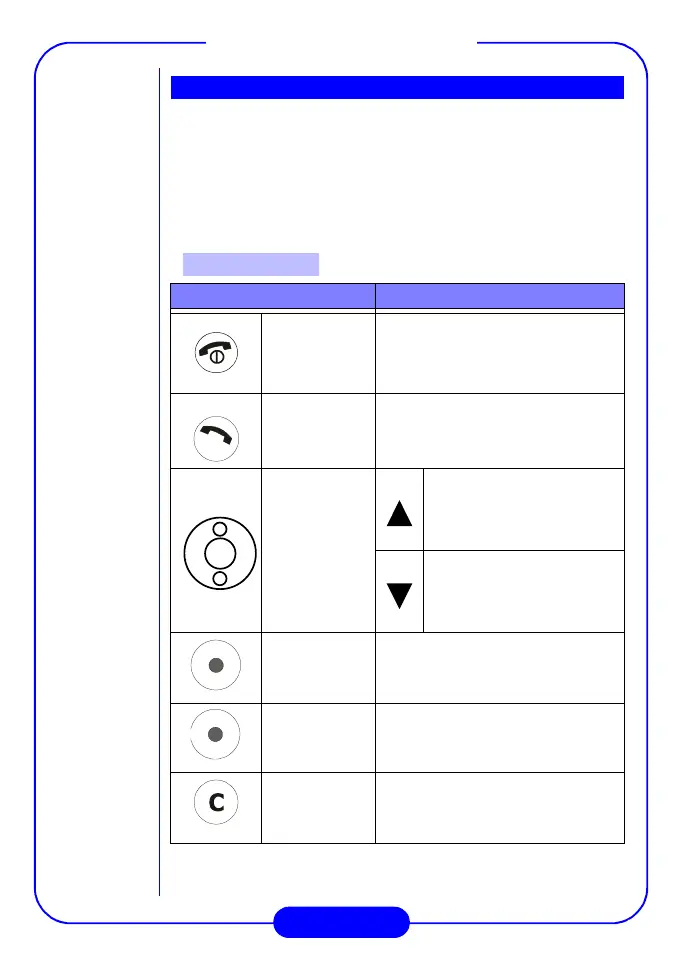
Press... To...
End/Power
key
• End a call.
• Exit the menu and return to
standby mode.
• Turn the phone power on/off.
Send/OK
key
• Make an outgoing call.
• Answer an incoming call.
• Enter call log.
Scroll
Key
• Move cursor left.
• Move to the previous item
in Main Menu.
• Enter Qkey List.
• Move cursor right.
• Move to the next item in
Main Menu.
• Enter Phone Book.
Left soft key
Execute the function that is shown
at the lower left part of the screen.
Right soft key
Execute the function that is shown
at the lower right part of the screen.
Clear key
• Clear text.
• Delete.
Keypad
Function Keys



 To Next Page