EasyManua.ls Logo

BenQ C600 - Calculator

BenQ C600
76 pages
Print Icon
To Next Page IconTo Next Page
To Previous Page IconTo Previous Page
Loading...



BenQ C600 Mobile Phone
Off:
Press Select soft key and you can set the alarm clock function
off.
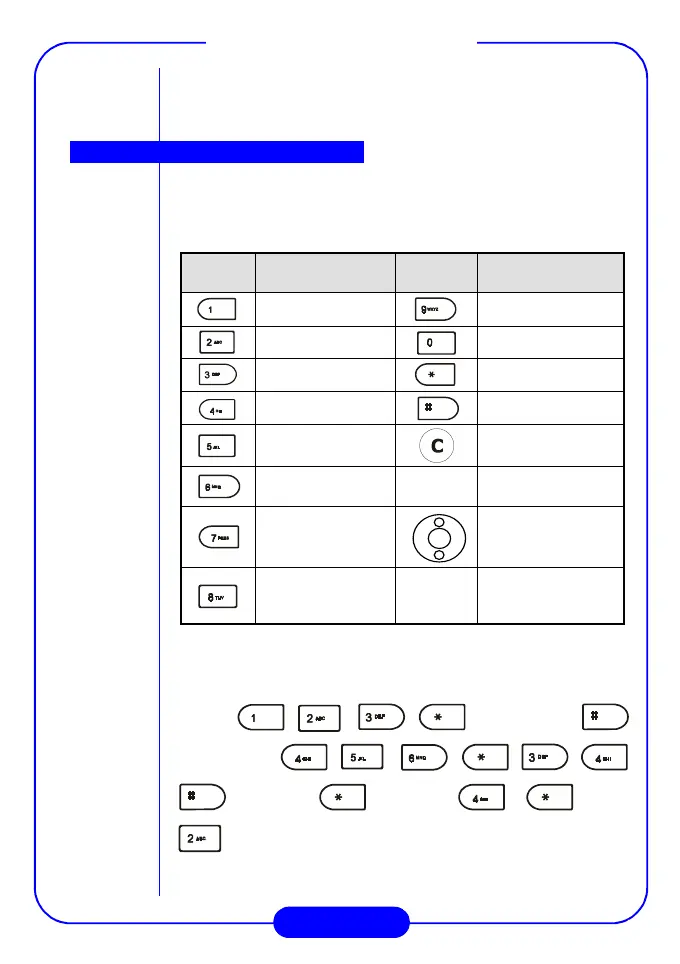
You can use your phone as a handy calculator. A cursor will appear at
the upper left of the screen. Follow the chart below to enter numbers
and arithmetic symbols.
&'(!
&'(!&'(!
&'(!
)*+'$,-./+,% ,0*
)*+'$,-./+,% ,0*)*+'$,-./+,% ,0*
)*+'$,-./+,% ,0*
 $+ %
 $+ % $+ %
 $+ %
$%
$%$%
$%
$+%$,%$%
$+%$,%$%$+%$,%$%
$+%$,%$%
1
11
1
Press the = soft key to display the result.





























234
234234
234
5
55
5



!"#$%"
!"#$%"!"#$%"
!"#$%"
&
&&
&
24
2424
24
5
55
5
'$%"
'$%"'$%"
'$%"
%$""((((((
%$""((((((%$""((((((
%$""((((((



Calculator

Related product manuals