BenQ C600 Mobile Phone
Key operations in Browser
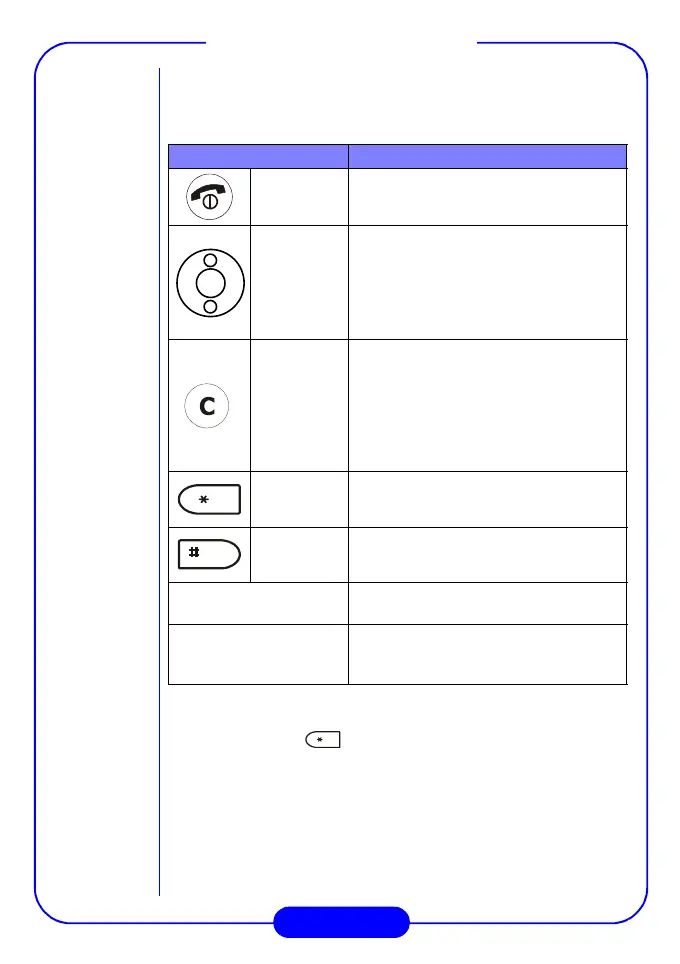
Please see the table below for the key operations in Browser:
Browser options
You can long press key to enter the Browser menu to access
the following options:
•
Reload:
Reload current web page.
•
Home:
Return to the home page.
•
Bookmarks:
Open the bookmark list and choose a bookmark.
•
Mark site:
Bookmark current web page.
•
About Openwave:
Display the Browser version and informa-
tion about Browser and the phone.
Press... To...
End/Power
key
• Return to the home page.
• Long press to exit Browser.
Scroll
key
Select an item in a menu.
Clear key
• Return to the previous page.
• Long press to return to the home
page.
• Clear current character when enter-
ing text.
• Long press to clear all characters
when entering text.
Star key
Long press to enter Browser options.
Pound key
Long press to bookmark current website.
Volume adjustment
key
Scroll the page up or down.
Alphanumeric keys
Long press a numeric key to jump to the
bookmarked pages 1~9 in the bookmark
list.



 To Next Page