31 Operation (under Launcher source)
1. Install the wireless dongle into the wireless dongle port (see Installing the USB Wi-Fi dongle on page
8).
2. Power on the projector (see Starting up the projector on page 19).
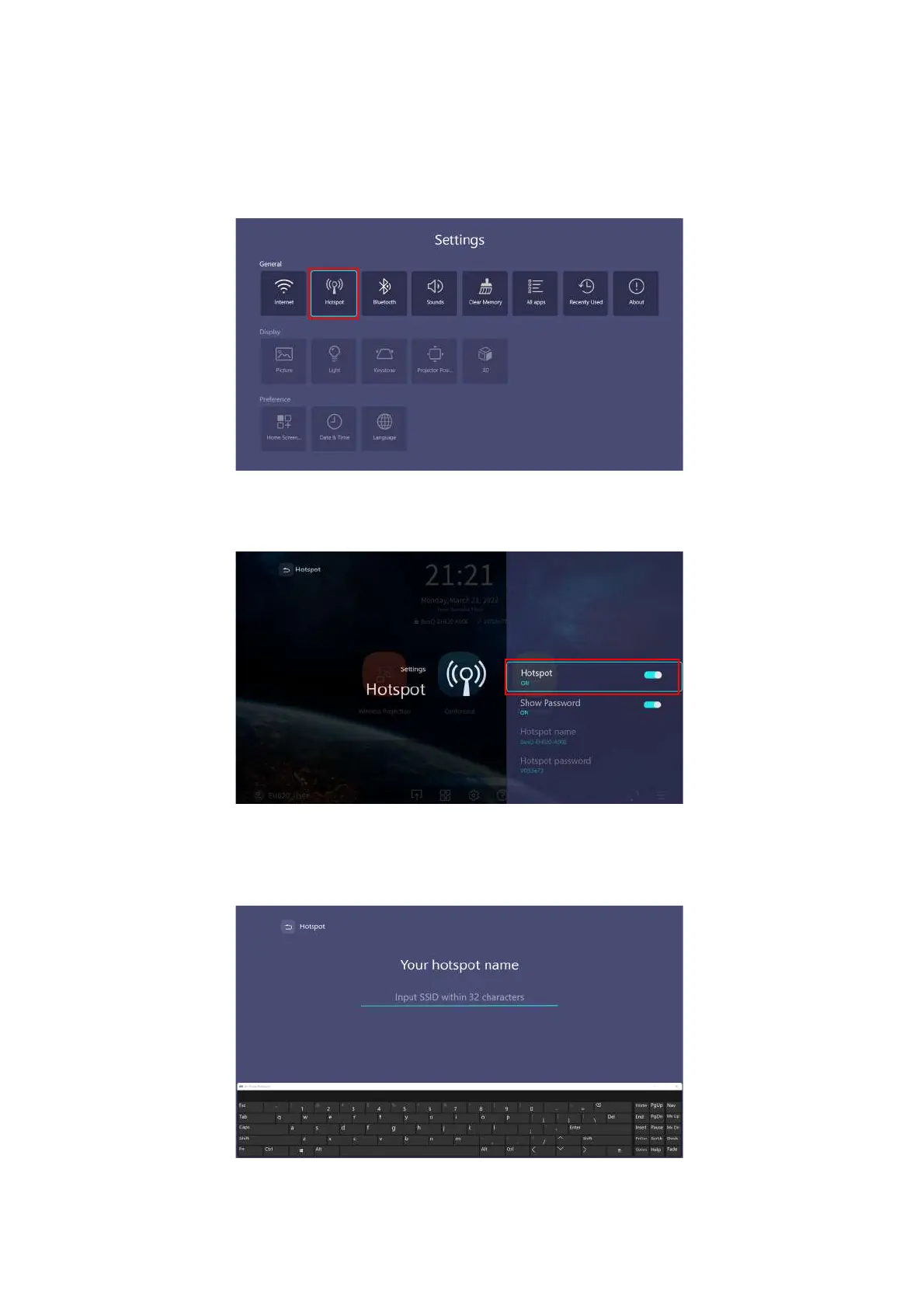
3. On the home screen of the BenQ Launcher interface select the Settings button and press OK.
4. Select Hotspot and press OK.
5. (Optional) Select Hotspot Name and/or Hotspot Password and press OK to change the name
and/or password of the wireless hotspot.












 To Next Page