Connection22
Smart devices connection
The projector can project the content directly from a MHL compatible smart device. Using
an HDMI to Micro USB cable or an HDMI to Micro USB adaptor, you can connect your
smart devices to the projector and then enjoy your content on the big screen.
Some smart devices may not be compatible to the cable that you use. Please consult the
manufacturer of your smart device for detailed information.
Using an HDMI to Micro USB cable
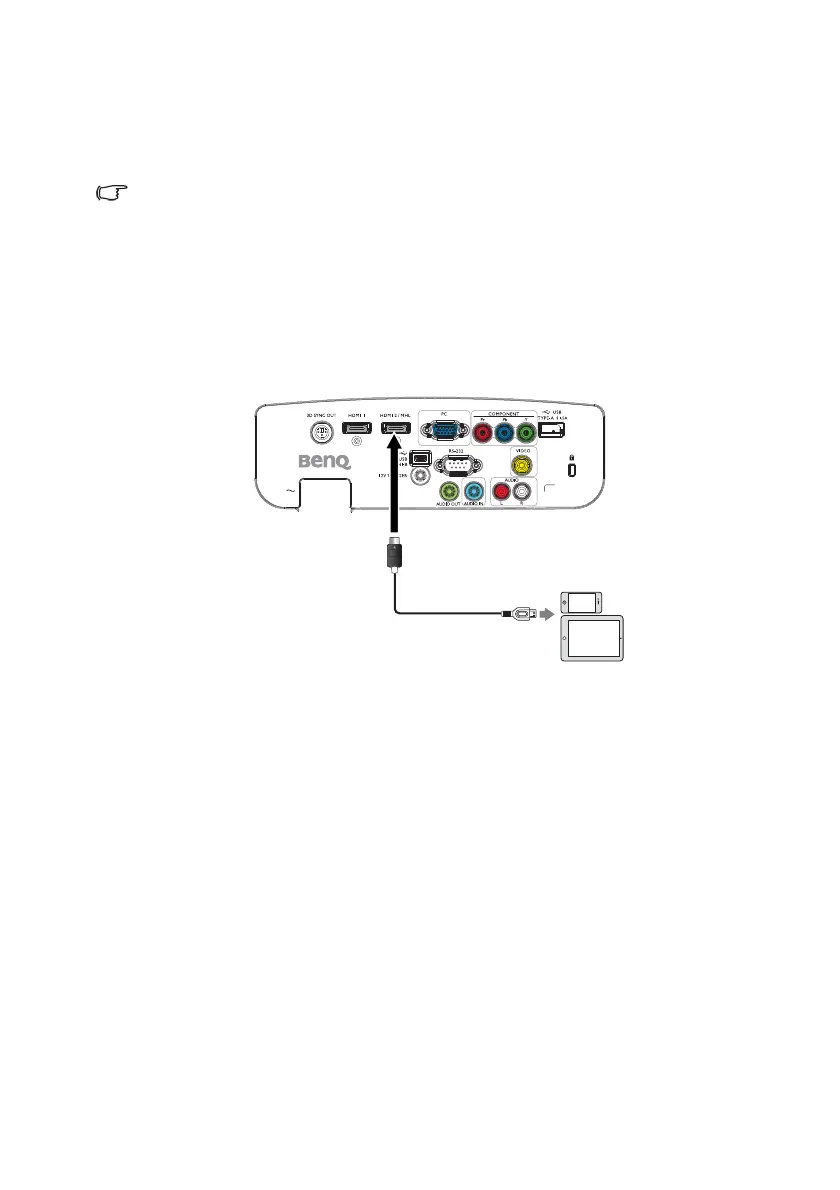
1. Connect one end of the HDMI to Micro USB cable to the HDMI input connector on
the projector.
2. Connect the other end of the HDMI to Micro USB cable to the Micro USB output
socket on your smart device.
3. Switch to the HDMI/MHL input source. To switch input signal, see "Switching input
signal" on page 43 for details.







 To Next Page