Menu Functions34
i. Go to the Menu Type menu.
ii. Use ▲/▼ to select Advanced and press OK.
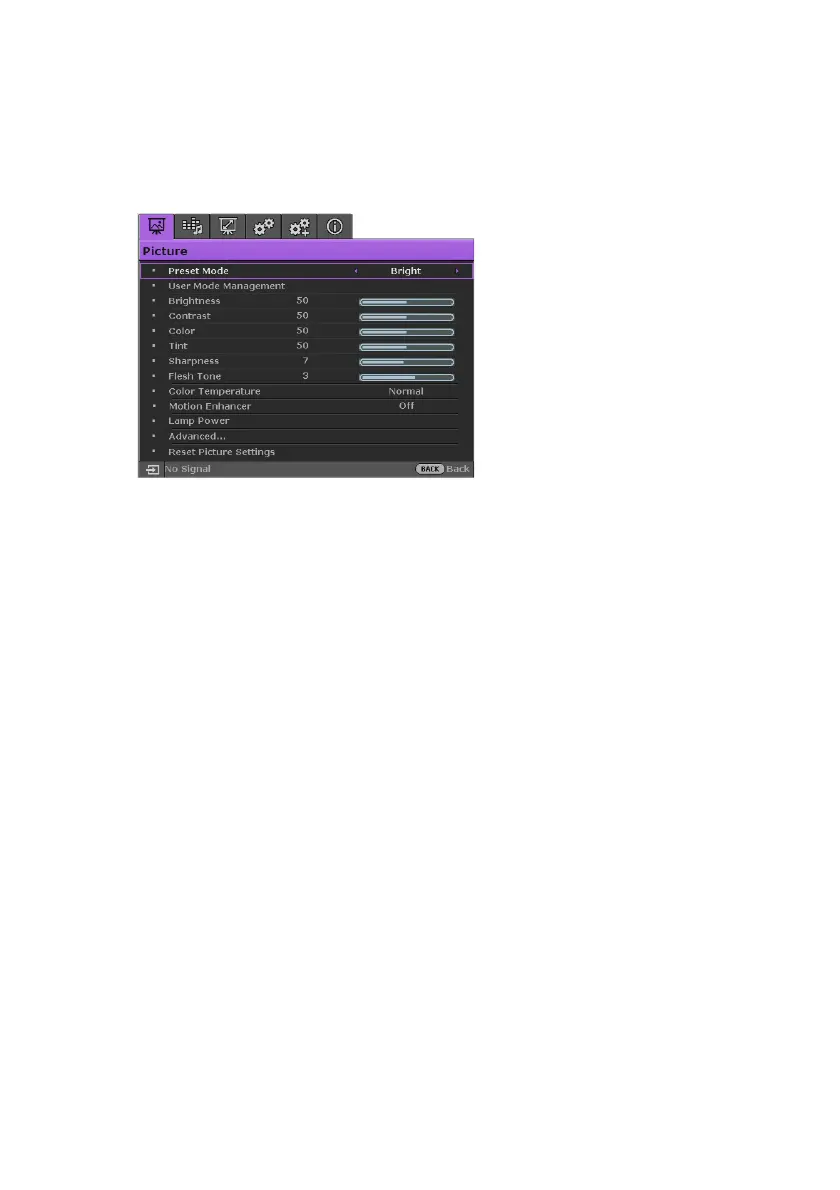
iii. Press MENU again to access the Advanced OSD menu.
Next time when you turn on the projector, you may access the Advanced OSD menu by
pressing MENU.
Below is the overview of the Advanced OSD menu.
Likewise, when you wish to switch from the Advanced OSD menu to the Basic OSD
menu, follow the instructions below:
1. Go to the System Setup : Basic > Menu Settings > Menu Type menu.
2. Use ◄/► to select Basic.
3. Press MENU again to access the Basic OSD menu.
Next time when you turn on the projector, you may access the Basic OSD menu by
pressing MENU.













 To Next Page