32
Download procedure
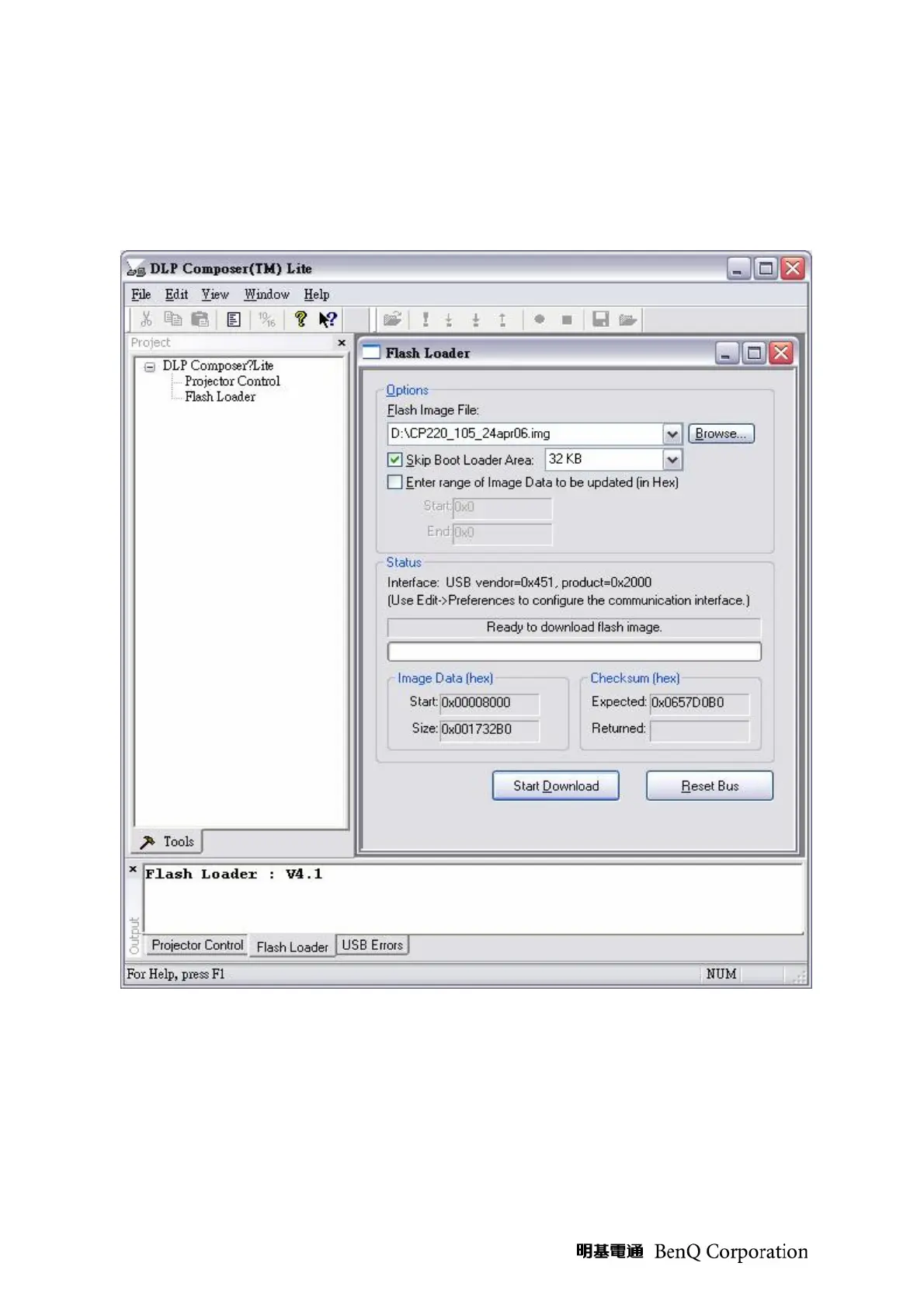
1. Click on Flash Loader and browse the image file (new version firmware)
2. Make sure to check “Skip Boot loader area (load all but the first 32KB)”
3. Plug power cord into projector
4. Plug in RS232 cable between computer and projector side
5. Press Reset Bus first
6. Press start download to begin update new firmware
7. Wait till composer lite notice upgrade completed
8. Download is completed. The factory settings should be restored.


 To Next Page