34
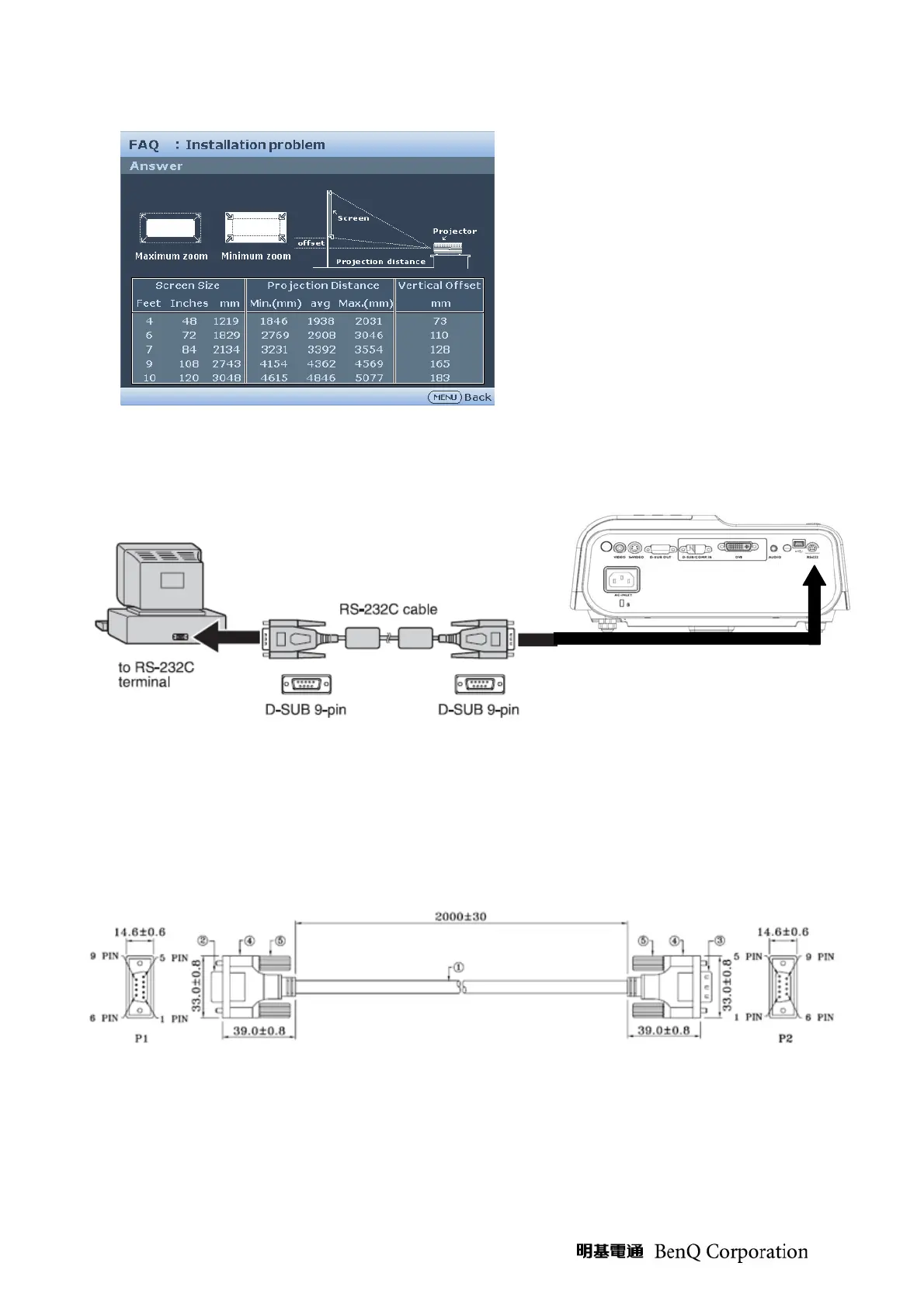
3. At the Installation problem page, press Up, Down, Left, Right key to enter Factory menu
RS-232 connection:
1. Connection:
Below shows the illustration of connection between PC and Projector.
<CAUTION>
Make sure that your computer and projector are turned off before connection.
Power on the computer first, and then plug the power cord of the projector. (It may cause Com
port incorrect function, if you do not follow this instruction)
Adapters may be necessary depending on the PC connected to this projector. Please contact with
your dealer for further details.
2. Hardware connection
<Download cable>


 To Next Page